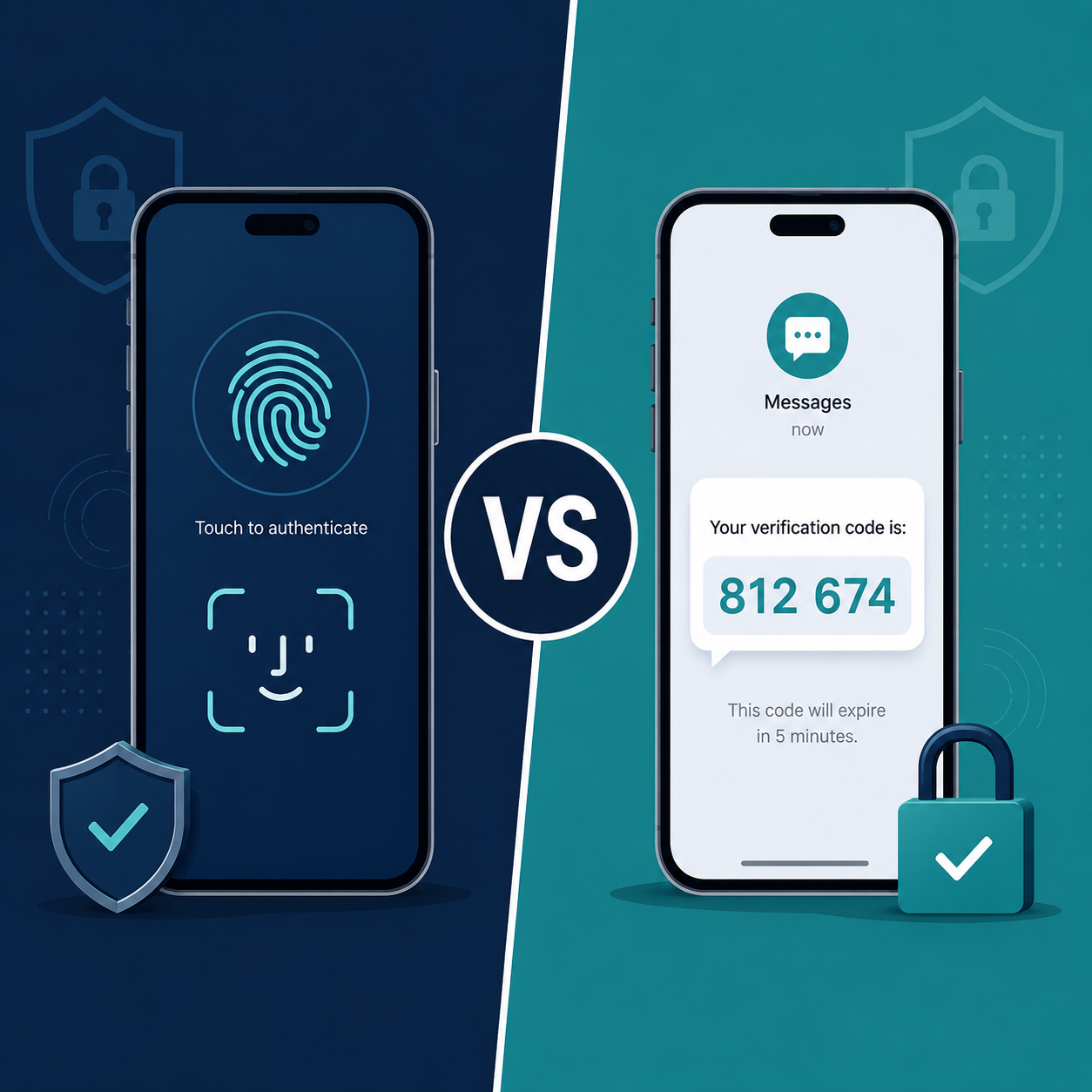

TL;DR: Passkeys offer stronger phishing resistance than traditional MFA (especially SMS or app-based codes) because they’re cryptographically tied to the specific website and cannot be intercepted, replayed, or phished. However, MFA remains more universally supported across business applications in 2026. The strongest approach for most businesses is layering both — passkeys where supported, traditional MFA everywhere else — rather than choosing one exclusively.
Executive Summary
Authentication security has evolved rapidly. Multi-factor authentication (MFA) became the baseline standard over the past decade, significantly reducing account takeover risk compared to passwords alone. But MFA itself has weaknesses — SMS codes can be intercepted, and even app-based codes can be defeated through sophisticated real-time phishing attacks that relay the code to attackers as it’s entered.
Passkeys, built on the FIDO2/WebAuthn standard, address this specific weakness by eliminating shared secrets entirely. This guide explains exactly how each method works, where each remains stronger, and how businesses should realistically approach the transition in 2026.
Who This Guide Is For
- IT decision-makers evaluating authentication strategy upgrades
- Small business owners managing their own security stack
- Businesses that experienced an MFA-bypass phishing incident
- Companies preparing for cyber insurance underwriting requirements around authentication
How MFA Works (And Where It Breaks Down)
Traditional MFA adds a second verification factor beyond your password — typically a code sent via SMS, generated by an authenticator app, or a push notification approval.
Strengths:
- Universally supported across nearly every business application and platform
- Familiar to most users, minimal training required
- Significantly reduces basic credential-stuffing and password-reuse attacks
Weaknesses:
- SMS-based codes can be intercepted via SIM-swapping attacks
- Real-time phishing kits can capture and relay both password and MFA code to attackers within seconds, defeating the protection entirely
- MFA fatigue attacks — attackers repeatedly trigger push notifications hoping a tired or distracted user approves one by mistake
- Still relies on a password as the first factor, which can be weak, reused, or already leaked in a prior breach
How Passkeys Work (And Why They’re Different)
Passkeys use public-key cryptography. When you create a passkey for a website, your device generates a unique key pair — the private key never leaves your device, and the public key is stored by the website.
Strengths:
- Phishing-resistant by design — passkeys are cryptographically bound to the specific website domain, so a fake phishing site cannot trick your device into authenticating
- No shared secret to steal — there’s no password or code that can be intercepted, since authentication happens via cryptographic challenge-response
- Faster login experience — biometric (fingerprint/face) or device PIN replaces typing a password and waiting for a code
- Resistant to MFA fatigue attacks — there’s no repeated push notification to approve
Weaknesses:
- Not yet universally supported — many business applications, especially legacy or industry-specific software, don’t support passkeys yet
- Device dependency — losing access to the device or its biometric/account recovery method can complicate access recovery
- Less mature enterprise tooling — centralized passkey management across an organization is still maturing compared to established MFA admin tools
Head-to-Head Comparison
| Factor | Traditional MFA | Passkeys |
|---|---|---|
| Phishing resistance | Moderate (vulnerable to real-time relay attacks) | Very high (cryptographically bound to domain) |
| Application support | Very broad | Growing, but still limited for legacy/enterprise apps |
| User friction | Moderate (typing codes, waiting for SMS) | Low (biometric tap, near-instant) |
| Setup complexity for IT | Low-moderate, mature tooling | Moderate, newer enterprise management tools |
| Resistance to SIM-swapping | Vulnerable (SMS-based MFA only) | Not applicable — no phone number dependency |
| Resistance to MFA fatigue attacks | Vulnerable (push-based MFA) | Not applicable |
| Recovery process maturity | Well-established | Still maturing across vendors |
Why Passkeys Are Gaining Urgency in 2026
Real-time phishing kits — sometimes called “adversary-in-the-middle” attacks — have become significantly more accessible and effective at defeating traditional MFA. These tools create a convincing fake login page that captures your password and MFA code in real time, then immediately uses them to log into the real site before the code expires.
This specific attack pattern is exactly what passkeys are designed to prevent, since there’s no code or password to capture in the first place — the authentication is a cryptographic exchange tied to the legitimate domain.
Major platforms (Microsoft 365, Google Workspace, many SaaS tools) have significantly expanded passkey support over the past two years, making broader business adoption increasingly practical.
Where MFA Still Makes Sense
Despite passkeys’ security advantages, traditional MFA remains the practical choice in several scenarios:
- Legacy or niche business software without passkey support
- Shared or kiosk-style devices where biometric binding to an individual is impractical
- Industries with established compliance frameworks built specifically around MFA requirements, where switching may require updated documentation
- Organizations not ready to manage device-based recovery processes that passkeys require
Recommended Hybrid Approach for Small Businesses
Rather than treating this as an either/or decision, most security-conscious small businesses in 2026 should:
- Enable passkeys wherever supported — Microsoft 365, Google Workspace, and most major SaaS platforms now offer this option
- Use app-based MFA (not SMS) everywhere passkeys aren’t yet supported — authenticator apps are meaningfully more secure than SMS codes
- Eliminate SMS-based MFA entirely where possible — it remains the weakest widely-used authentication factor
- Prioritize passkey rollout for high-privilege accounts first — admin and financial system access benefit most from phishing-resistant authentication
- Train employees on MFA fatigue attack recognition — specifically, never approve a push notification you didn’t personally initiate
Implementation Checklist
Immediate Actions
- Audit which business applications currently support passkeys
- Disable SMS-based MFA in favor of authenticator apps wherever both options exist
- Enable passkey login for Microsoft 365 / Google Workspace admin accounts first
Within 90 Days
- Roll out passkeys for all employees on supported platforms
- Update your incident response plan to address passkey-specific recovery scenarios
- Document a clear device-loss recovery process for passkey-dependent accounts
Ongoing
- Monitor vendor passkey support as platforms continue expanding adoption
- Reassess your authentication policy annually as the threat landscape and tooling evolve
Frequently Asked Questions
Are passkeys completely immune to phishing?
They’re highly resistant because they’re cryptographically bound to the legitimate domain, making the classic fake-login-page phishing attack ineffective. No authentication method is absolutely immune to all attack types, but passkeys eliminate the most common current attack vector.
Can I use passkeys and MFA together?
Yes, and for high-security scenarios this layered approach is often recommended — though for accounts using passkeys properly, the cryptographic authentication itself already serves as a strong factor on its own.
What happens if an employee loses the device with their passkey?
Most platforms support backup passkeys on multiple devices or account recovery through alternative verification. Establish a clear recovery process before rolling out passkeys broadly to avoid lockout scenarios.
Do passkeys work across different devices and browsers?
Increasingly yes, especially with platform support for syncing passkeys via password managers or cloud account systems (like Apple’s iCloud Keychain or Google Password Manager), though cross-platform consistency is still maturing.
Is SMS-based MFA still better than no MFA at all?
Yes, significantly better than no MFA. The concern is relative — SMS MFA is the weakest widely available option, not an ineffective one. Upgrading to app-based MFA or passkeys further reduces risk where feasible.
Will my cyber insurance policy accept passkeys as meeting MFA requirements?
Many insurers are updating language to recognize passkeys as satisfying or exceeding MFA requirements, but confirm directly with your insurer or broker since policy language varies.
How do MFA fatigue attacks work, and do passkeys prevent them?
Attackers repeatedly trigger push-based MFA approval requests, hoping the user eventually approves one out of frustration or confusion. Passkeys eliminate this attack entirely since there’s no repeated approval prompt involved.
Should small businesses prioritize passkeys or wait for broader adoption?
Start now where supported, particularly for high-privilege accounts (admin, financial systems). The security benefit is significant enough that waiting for universal adoption means leaving known vulnerabilities unaddressed in the meantime.
Final Verdict
Passkeys represent a genuine security advancement over traditional MFA, specifically because they eliminate the shared-secret vulnerability that real-time phishing attacks exploit. However, traditional MFA — particularly app-based, non-SMS MFA — remains necessary for the many business applications that haven’t yet adopted passkey support.
The practical path for most small businesses isn’t choosing one over the other — it’s rolling out passkeys aggressively wherever supported while strengthening traditional MFA (eliminating SMS specifically) everywhere else. Authentication security in 2026 is about layering the strongest available method per application, not standardizing on a single approach across your entire stack.
This guide reflects general security industry guidance and authentication standards as of mid-2026. Specific platform support and capabilities continue to evolve — verify current passkey support directly with each vendor.