
TL;DR: Zero trust means no user, device, or application is automatically trusted, even inside your network — every access request is verified based on identity, device health, and context. Small businesses don’t need an expensive enterprise rollout to benefit: starting with MFA everywhere, Conditional Access policies, and least-privilege permissions delivers most of zero trust’s practical security benefit at a fraction of enterprise implementation cost.
Executive Summary
Traditional network security operated on a simple assumption: anything inside your network perimeter (office network, VPN-connected devices) could be trusted, while anything outside required scrutiny. This model has broken down completely with remote work, cloud applications, and mobile devices — there often isn’t a clear “inside” anymore.
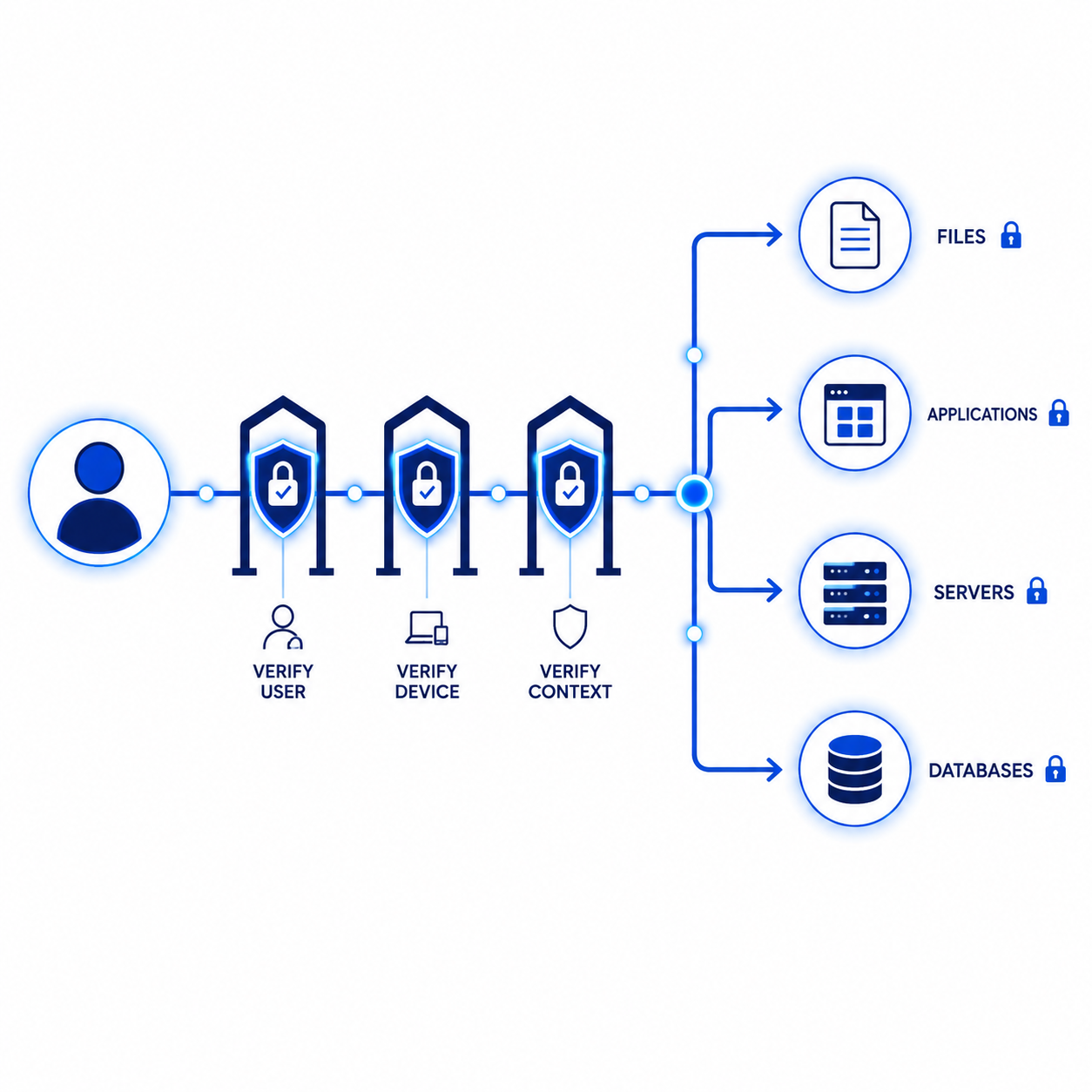
Zero trust replaces this assumption with continuous verification: every access request is evaluated on its own merits, regardless of network location. For small businesses, this isn’t an all-or-nothing enterprise project — it’s a set of practical, incremental changes that meaningfully reduce risk.
Who This Guide Is For
- Small business owners hearing “zero trust” from vendors or insurers and wanting a practical explanation
- IT decision-makers planning a security architecture upgrade without enterprise budget
- Businesses transitioning to hybrid or fully remote work models
- Companies responding to cyber insurance or compliance requirements mentioning zero trust
What Zero Trust Actually Means
Zero trust is built on three core principles:
1. Never Trust, Always Verify
No user or device is trusted by default, regardless of whether they’re on your office network or connecting remotely. Every access request is evaluated based on current context.
2. Least Privilege Access
Users and applications are granted only the minimum access necessary for their specific role — not broad access “just in case” they might need it later.
3. Assume Breach
Security is designed assuming an attacker may already have some level of access. The goal is limiting what they can do and reach, not just preventing initial entry.
Why Zero Trust Matters More Than Ever for SMBs
- Remote and hybrid work means employees connect from home networks, coffee shops, and personal devices — the traditional “trusted office network” barely exists anymore
- Cloud applications (Microsoft 365, Google Workspace, SaaS tools) live outside any traditional network perimeter entirely
- Credential theft remains the top attack vector — zero trust assumes credentials can be compromised and limits the resulting damage through additional verification layers
- Cyber insurance increasingly references zero trust principles, even if not by that exact term, through MFA and access control requirements
Zero Trust on a Small Business Budget: The Practical Starting Stack
You don’t need a dedicated zero trust platform costing tens of thousands of dollars. Most small businesses already have access to the foundational tools through their existing Microsoft 365 or Google Workspace subscription.
Step 1: Enable MFA Everywhere, No Exceptions
This is the foundation of identity verification in a zero trust model. Every account — email, admin consoles, financial systems, remote access — should require MFA without exception, including for the business owner.
Step 2: Implement Conditional Access Policies
Available through Microsoft 365 Business Premium (Azure AD Conditional Access) or similar tools in Google Workspace, these policies evaluate context — location, device compliance, risk signals — before granting access, rather than treating all successful logins equally.
Step 3: Apply Least Privilege to Permissions
Audit current access levels across your systems. Most small businesses over-grant admin access “for convenience.” Reduce standing admin privileges to the minimum number of accounts genuinely requiring them.
Step 4: Require Device Compliance Checks
Where feasible, require that devices accessing business data meet baseline security standards (updated OS, encryption enabled, antivirus active) before granting access — available through Microsoft Intune or similar mobile device management tools.
Step 5: Segment Your Network
Separate guest Wi-Fi, point-of-sale systems, and general office devices into distinct network segments so a compromise in one area doesn’t automatically grant access to everything else.
Step 6: Monitor and Log Access Continuously
Zero trust isn’t a one-time configuration — it requires ongoing visibility into who is accessing what, so unusual patterns can be detected and investigated.
Zero Trust vs. Traditional Perimeter Security
| Factor | Traditional Perimeter Security | Zero Trust |
|---|---|---|
| Trust model | Trust granted based on network location | Trust verified continuously, regardless of location |
| Remote work fit | Requires VPN to extend “trusted” network | Naturally accommodates remote and hybrid work |
| Breach impact | Often broad, since internal access is trusted | Limited, since lateral movement requires re-verification |
| Cloud application fit | Poor — cloud apps exist outside traditional perimeter | Strong — designed for distributed, cloud-first environments |
| Implementation cost for SMB | Lower upfront, but increasingly inadequate | Achievable affordably using existing M365/Google tools |
Common Zero Trust Misconceptions for Small Businesses
“Zero Trust Requires Expensive Enterprise Software”
Not necessarily. Many zero trust principles (MFA, Conditional Access, least privilege) are achievable using features already included in Microsoft 365 Business Premium or comparable Google Workspace tiers.
“Zero Trust Means No One Is Trusted, Which Slows Everyone Down”
Properly implemented, zero trust adds minimal friction for legitimate, expected access patterns (recognized device, normal location) while adding scrutiny only to unusual or risky requests.
“Zero Trust Is an All-or-Nothing Project”
It’s most realistically implemented incrementally — start with MFA and Conditional Access, then build outward to device compliance and network segmentation over time.
A Realistic 90-Day Zero Trust Starter Plan for SMBs
Days 1-14: Identity Foundation
- Enable MFA for all users without exception
- Audit and reduce excessive admin/privileged account assignments
- Disable legacy authentication protocols that bypass MFA
Days 15-45: Access Policies
- Implement Conditional Access policies (if on Business Premium/Azure AD Premium)
- Require device compliance checks for sensitive data access where feasible
- Review and apply least-privilege permissions across key systems
Days 46-90: Network and Monitoring
- Segment guest Wi-Fi and point-of-sale systems from general office network
- Set up logging and alerting for unusual access patterns
- Document your zero trust policies for compliance and insurance purposes
Frequently Asked Questions
Is zero trust only for large enterprises?
No, the core principles (MFA, least privilege, continuous verification) are achievable for small businesses using tools already included in many Microsoft 365 and Google Workspace subscriptions.
Do I need to buy a dedicated “zero trust” product?
Not necessarily as a starting point. Many foundational zero trust capabilities exist within tools you likely already have access to. Dedicated zero trust network access (ZTNA) products become more relevant as you scale or have more complex remote access needs.
How is zero trust different from just having a strong firewall?
A firewall primarily controls traffic at the network perimeter. Zero trust evaluates every individual access request based on identity and context, regardless of network location, which is a fundamentally different and more granular approach.
Will implementing zero trust slow down my team’s work?
Properly configured, friction should be minimal for normal, expected access patterns. The added verification primarily affects unusual or risky access attempts, not routine daily work.
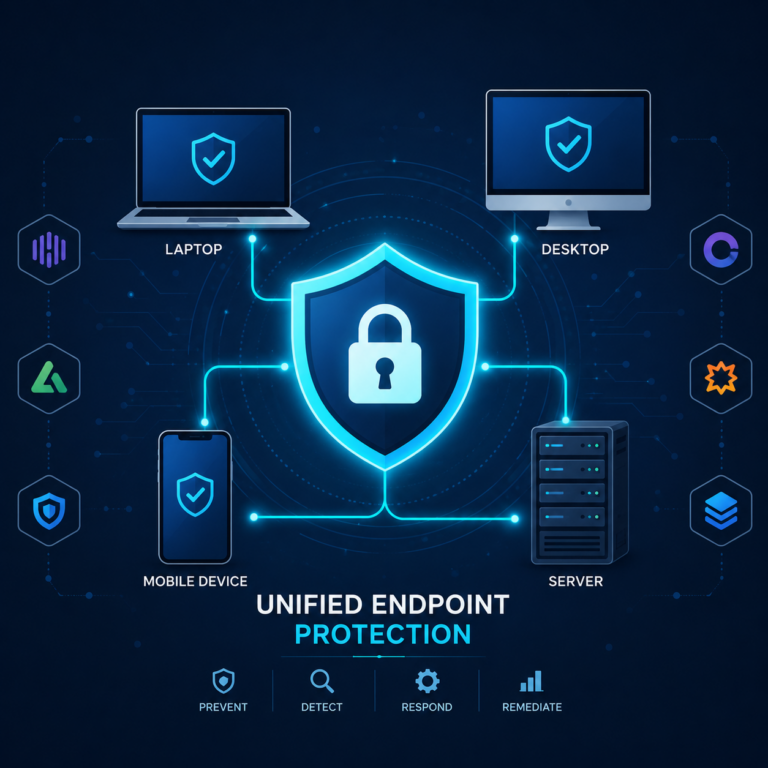
Does zero trust eliminate the need for antivirus or EDR?
No, zero trust is a complementary architecture and philosophy, not a replacement for endpoint protection. It works alongside EDR and other security tools rather than substituting for them.
How long does it take a small business to implement basic zero trust principles?
Foundational elements (MFA, Conditional Access, least privilege) can be implemented within 30-90 days for most small businesses, as outlined in the starter plan above.
Is zero trust required for cyber insurance?
Specific “zero trust” terminology isn’t always required, but many of its core components (MFA, access controls) increasingly are required or strongly incentivized by insurers.
What’s the first step a small business should take toward zero trust?
Universal MFA enforcement, with no exceptions for any account including business owners and admins — this single step delivers the highest security improvement relative to implementation effort.
Final Verdict
Zero trust isn’t a specific product you buy — it’s an architectural philosophy that small businesses can adopt incrementally using tools they likely already have access to through Microsoft 365 or Google Workspace. Start with universal MFA and Conditional Access policies, then build outward to least-privilege permissions and network segmentation as your security maturity grows.
The businesses that benefit most from zero trust thinking are exactly the ones increasingly common today: distributed teams, cloud-first operations, and a workforce that no longer fits neatly inside a traditional office network perimeter.
This guide provides general security architecture guidance as of mid-2026. Specific implementation steps vary by existing infrastructure and licensing tier — consult your IT provider or a security professional for guidance tailored to your environment.