
TL;DR: Professional CRM data migration services typically cost $1,500-15,000+ depending on data volume and complexity, and are worth the investment whenever you have more than a few thousand records, significant data quality issues, or complex custom field mapping between source and destination platforms. For smaller, cleaner datasets, DIY migration using native import tools is often perfectly adequate and saves the service cost entirely.
Executive Summary
CRM migration is frequently underestimated — businesses assume it’s a simple export-and-import process, then discover duplicate records, broken field mappings, and lost historical context partway through. Professional migration services exist specifically to handle this complexity, but they’re not always necessary or cost-justified for every situation.
This guide explains when migration services make financial sense, what they typically cost, how to choose a provider, and when DIY migration is the better choice instead.
Who This Guide Is For
- Businesses planning a CRM switch with significant existing data volume
- Companies that attempted DIY migration and encountered data quality issues
- IT and operations teams evaluating whether to hire migration help or do it internally
- Agencies and consultants offering migration services to their own clients
When Professional Migration Services Make Sense
| Scenario | Recommendation |
|---|---|
| Under 1,000 clean, well-organized records | DIY migration usually sufficient |
| 5,000+ records with significant duplicates or inconsistent formatting | Professional service strongly recommended |
| Complex custom field structures between source and destination | Professional service recommended |
| Migrating from a heavily customized platform (Salesforce, complex HubSpot setup) | Professional service strongly recommended |
| Need to preserve complex relationship data (deal history, activity timelines) | Professional service recommended |
| Tight timeline with no internal technical bandwidth | Professional service recommended |
What Migration Services Typically Include
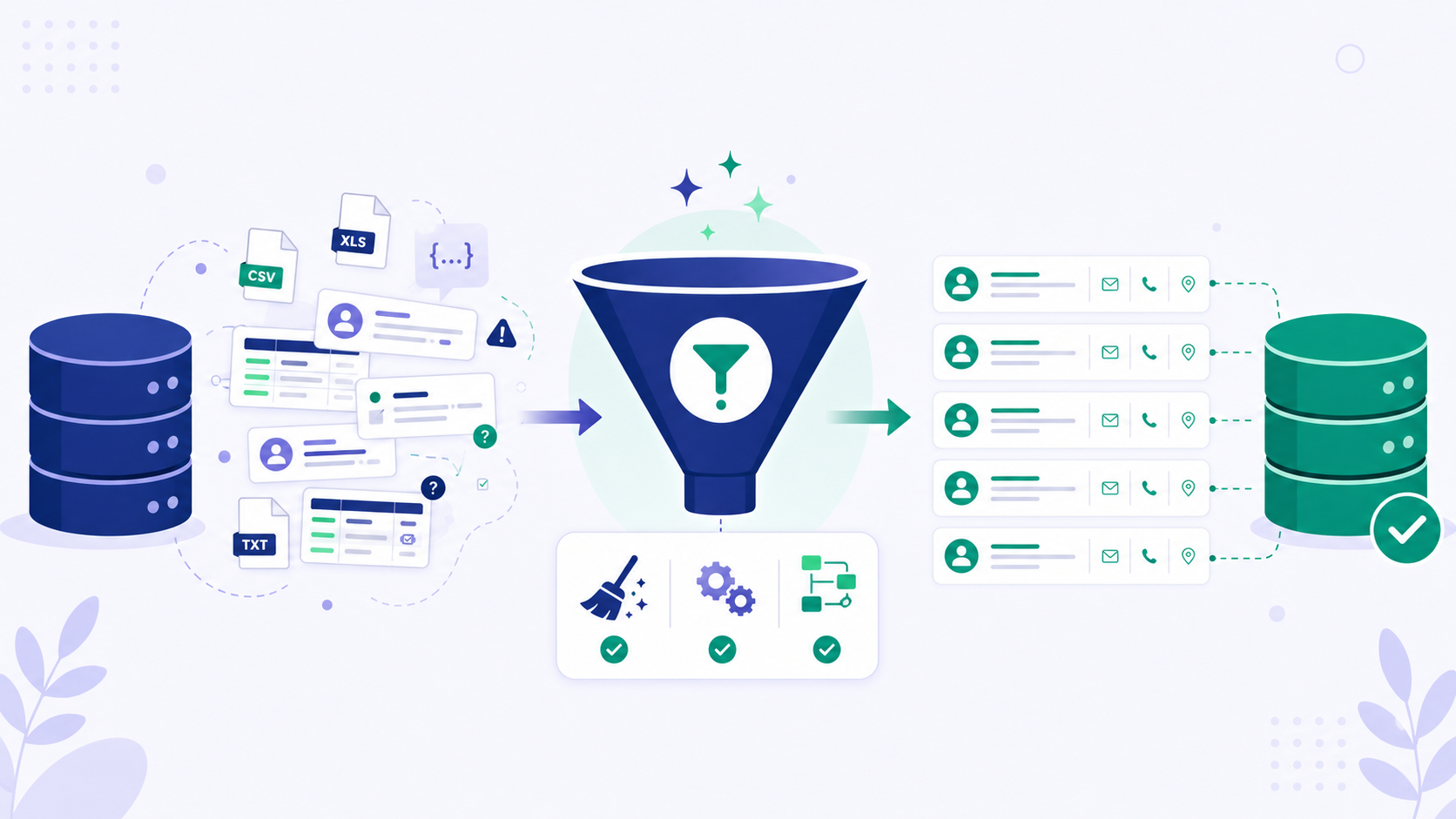
1. Data Audit and Cleanup
Identifying duplicates, inconsistent formatting, and invalid records before migration, rather than transferring problems into your new system.
2. Field Mapping
Matching fields between your source and destination platforms, including custom fields that don’t have an obvious direct equivalent.
3. Test Migration
Running a sample migration first to verify accuracy before committing the full dataset.
4. Full Data Transfer
Executing the complete migration, typically during a planned downtime window to minimize disruption.
5. Validation and Reconciliation
Confirming that migrated data matches the source system accurately, checking for any records that failed to transfer or transferred incorrectly.
6. Historical Activity Preservation
For platforms supporting it, migrating not just current records but historical notes, emails, and activity timelines tied to each contact or deal.
Typical Cost Ranges
| Migration Complexity | Estimated Cost | Typical Timeline |
|---|---|---|
| Simple (under 2,000 records, minimal customization) | $1,500–4,000 | 1-2 weeks |
| Moderate (2,000-10,000 records, some custom fields) | $4,000–10,000 | 2-4 weeks |
| Complex (10,000+ records, heavy customization, multiple integrated systems) | $10,000–25,000+ | 4-8+ weeks |
Factors that increase cost:
- Migrating from highly customized Salesforce implementations with extensive custom objects
- Need to preserve detailed historical activity, not just current contact/deal records
- Multiple source systems being consolidated into one destination platform
- Tight timeline requiring expedited work
Types of Migration Service Providers
CRM Vendor’s Own Migration Services
Many platforms (HubSpot, Salesforce) offer in-house migration assistance, particularly for Professional and Enterprise tier customers, sometimes bundled into onboarding fees.
Pros: Deep platform-specific expertise, direct accountability from the vendor.
Cons: May be more expensive, and less neutral if migration complications stem from the destination platform’s limitations.
Independent CRM Consultants
Specialized consultants or small agencies focused specifically on CRM implementation and migration work.
Pros: Often more affordable than vendor-provided services, with deep cross-platform migration experience.
Cons: Quality and expertise vary significantly — vet carefully through references and past project examples.
Migration-Specific Software Tools
Dedicated tools (like Import2, Trujay, or similar platforms) automate much of the technical transfer process, sometimes combined with limited human support.
Pros: Often cheaper than full-service consultants for straightforward migrations.
Cons: Less hands-on support for complex data cleanup or custom field mapping decisions.
DIY Migration: When and How
For straightforward migrations, most CRM platforms include native import tools sufficient for the task:
Step 1: Clean Your Data Before Exporting
Remove obvious duplicates, standardize formatting (phone numbers, company names), and eliminate clearly invalid records from your source system before exporting.
Step 2: Export to CSV
Most platforms support standard CSV export, which serves as the common format for import into most destination systems.
Step 3: Map Fields Carefully
Before importing, map each source field to its destination equivalent, paying particular attention to custom fields without an obvious direct match.
Step 4: Run a Test Import
Import a small sample (50-100 records) first, verifying accuracy before committing your full dataset.
Step 5: Full Import and Validation
Complete the full migration, then spot-check a meaningful sample of records against your original source data to confirm accuracy.
Common Migration Mistakes (With or Without Professional Help)
| Mistake | Consequence |
|---|---|
| Migrating dirty data without cleanup first | Recreates duplicate and formatting problems in the new system |
| No test migration before full transfer | Discover mapping errors only after the complete migration |
| Underestimating timeline | Rushed migrations increase error risk and team frustration |
| Not validating against source data after migration | Silent data loss or corruption goes unnoticed until much later |
| Forgetting to migrate historical activity, not just current records | Loss of valuable relationship context and history |
How to Choose a Migration Service Provider
- Ask for case studies or references specific to your source and destination platform combination
- Request a detailed scope of work including exactly what data categories will be migrated and validated
- Clarify pricing structure — fixed fee versus hourly, and what happens if complexity exceeds initial estimates
- Confirm test migration is included before full data transfer, not as a separate paid add-on
- Check their data security practices, since migration involves handling your complete customer database, often including sensitive information
Frequently Asked Questions
Is it worth paying for migration services for a small business with under 1,000 contacts?
Generally no — for relatively clean, small datasets, DIY migration using native platform import tools is usually sufficient and saves the service cost entirely.
How long does professional CRM migration typically take?
This varies by complexity, but most professional migrations take 2-6 weeks from initial data audit through final validation, with more complex enterprise migrations extending further.
Can I migrate historical email and activity data, or just current contact records?
This depends on both your source and destination platforms’ capabilities — some platforms support migrating historical activity, while others are limited to current contact and deal record data only.
What happens if my migration provider makes an error?
Reputable providers include a validation phase specifically to catch errors before considering the migration complete, and should have a clear process for correcting issues discovered during or shortly after migration.
Should I migrate all historical data, or only active/recent records?
This depends on genuine business need — many businesses migrate only active contacts and recent deal history, archiving (rather than fully migrating) older inactive records to keep the new system clean.
Is it cheaper to use a vendor’s own migration service or an independent consultant?
This varies — vendor services sometimes bundle migration into onboarding fees already required for Professional/Enterprise tiers, while independent consultants may offer more competitive standalone pricing, particularly for complex cross-platform migrations.
Can migration tools handle data from a heavily customized Salesforce instance?
Specialized migration consultants with Salesforce experience are generally recommended for heavily customized instances, since generic migration tools often struggle with complex custom object relationships.
What’s the biggest risk of doing CRM migration without professional help?
The most common risk is migrating dirty, duplicate, or poorly mapped data into your new system, effectively recreating old problems in a new platform rather than achieving the clean start the migration was meant to provide.
Final Verdict
Professional CRM data migration services are worth the investment specifically when you have substantial data volume, significant data quality issues, complex custom field structures, or a tight timeline without internal technical bandwidth. For smaller, cleaner datasets migrating between reasonably comparable platforms, DIY migration using native import tools typically delivers adequate results without the added cost.
Whichever approach you choose, the success of any CRM migration depends far more on data cleanup discipline and careful field mapping than on the platform you’re switching to — rushing either step, with or without professional help, consistently produces a frustrating post-migration cleanup process.
Cost estimates reflect general industry patterns as of mid-2026 and will vary significantly based on data volume, complexity, and provider. Request a detailed quote specific to your migration scope before committing.