
TL;DR: Pipedrive’s mobile app offers the most intuitive on-the-go pipeline management for small-to-mid sales teams, with strong offline functionality. Salesforce’s mobile app provides the deepest feature parity with its desktop platform for enterprise teams already on Salesforce. HubSpot’s mobile app excels for reps wanting marketing engagement visibility alongside deal tracking while traveling. Below, we compare 7 platforms by mobile usability, offline access, and field-specific features.
Executive Summary
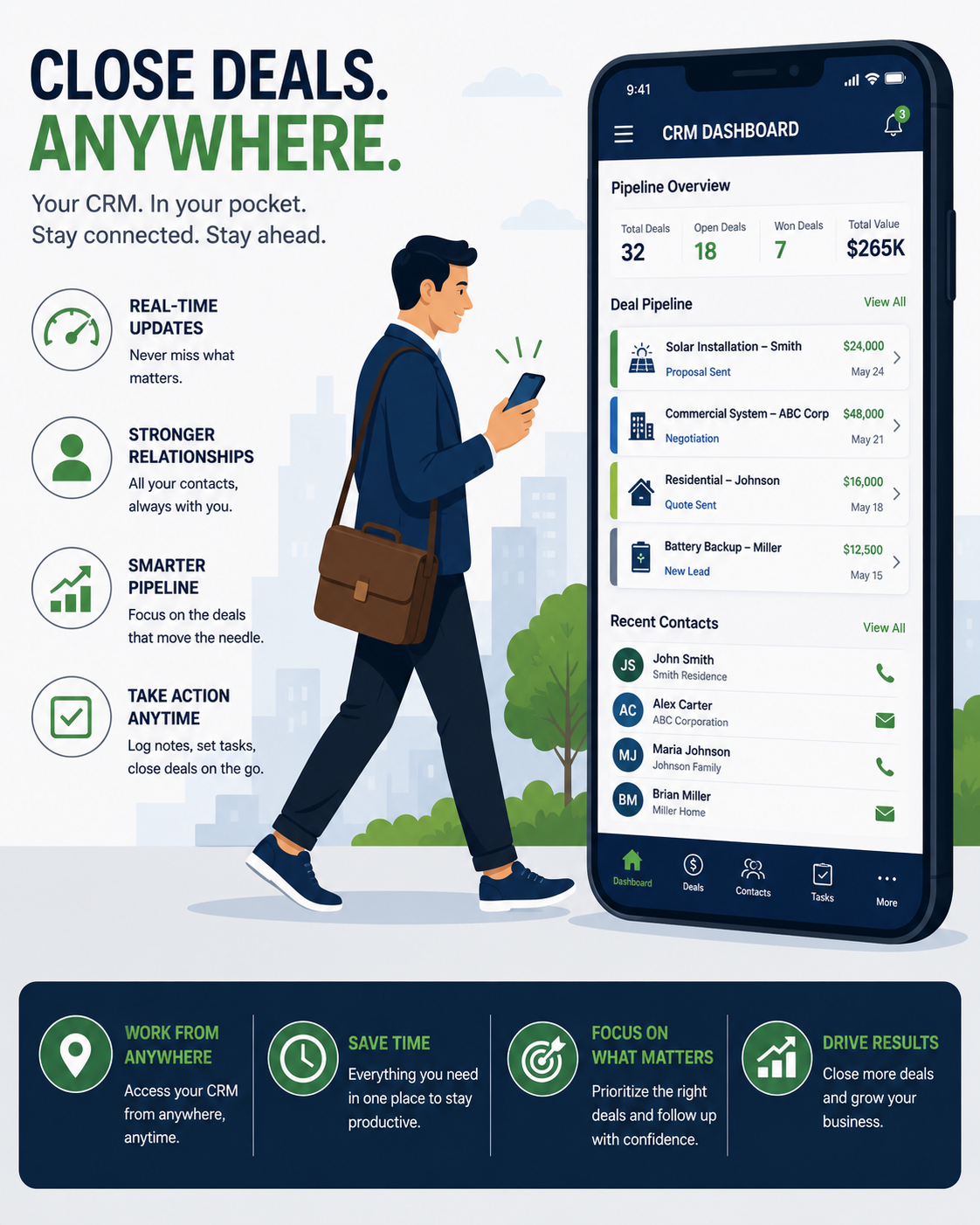
Sales reps spend significant time away from their desks — between client meetings, in transit, or working from the field — making mobile CRM functionality a genuine productivity factor rather than a nice-to-have feature. The gap between a CRM’s desktop and mobile experience varies enormously across platforms, with some offering near-complete feature parity and others providing only basic, frustrating functionality on mobile.
This guide compares the seven leading CRM platforms specifically on their mobile app quality and field usability in 2026.
Who This Guide Is For
- Sales reps spending significant time in the field or traveling between meetings
- Sales managers evaluating CRM platforms partly based on mobile usability
- Teams frustrated with their current CRM’s clunky or limited mobile experience
- Field sales organizations needing offline access in low-connectivity areas
Evaluation Criteria
- Feature parity with desktop — how much functionality is genuinely available on mobile, not just viewable
- Offline access — ability to view and log activity without an active internet connection
- Speed and responsiveness — app performance, particularly important for reps moving between locations quickly
- Field-specific features — location-based check-ins, route planning, business card scanning
Quick Comparison Table
| Platform | Offline Access | Feature Parity with Desktop | Best For |
|---|---|---|---|
| Pipedrive | Good | High | Best overall mobile usability |
| Salesforce | Strong | Very high | Enterprise teams needing full parity |
| HubSpot | Moderate | High | Marketing-sales unified visibility |
| Zoho CRM | Good | High | Budget-conscious teams |
| Freshsales | Good | Moderate-High | AI-assisted mobile insights |
| Copper | Moderate | Moderate | Google Workspace-integrated teams |
| Close | Good | High | Inside sales teams needing mobile calling |
Pipedrive — Best Overall Mobile Usability
Pipedrive’s mobile app translates its visual pipeline interface effectively to a smaller screen, maintaining the intuitive deal management experience reps expect from the desktop version.
Strengths:
- Visual pipeline view remains genuinely usable on mobile, not just a simplified list
- Good offline functionality allowing activity logging without connectivity
- Built-in business card scanner for quickly capturing new contact information
Limitations:
- Some advanced reporting features remain desktop-only
- Customization options are more limited on mobile than desktop
Pricing: Mobile app included with all Pipedrive plans, starting at $14/user/month.
Best for: Small-to-mid sales teams wanting the most intuitive mobile pipeline management experience.
(See our Best Sales Pipeline Software guide for broader platform context.)
Salesforce — Best Feature Parity for Enterprise
Salesforce’s mobile app offers the deepest feature replication of its desktop platform among major CRM providers, suited to enterprise teams with complex workflows.
Strengths:
- Extensive feature parity, including custom objects and complex reporting accessible on mobile
- Strong offline access supporting extended periods without connectivity
- Highly customizable mobile layouts matching organization-specific workflows
Limitations:
- Complexity that benefits enterprise users can feel overwhelming for smaller teams
- Requires existing Salesforce subscription, which carries significant cost at scale
Pricing: Mobile app included with Salesforce subscriptions, starting at $25/user/month (Starter).
Best for: Enterprise sales teams already on Salesforce needing comprehensive mobile feature parity.
HubSpot — Best for Marketing-Sales Unified Visibility
HubSpot’s mobile app gives sales reps visibility into marketing engagement history alongside deal tracking, useful for reps wanting full context before client interactions.
Strengths:
- Visibility into prospect’s marketing engagement (emails opened, content downloaded) directly within the mobile contact record
- Clean, modern interface with good overall responsiveness
- Free CRM tier includes genuinely usable mobile functionality
Limitations:
- Offline functionality is more limited than Pipedrive or Salesforce
- Some advanced automation features remain desktop-only
Pricing: Mobile app included with HubSpot CRM, including the free tier.
Best for: Sales reps wanting marketing engagement context alongside deal tracking while in the field.
Zoho CRM — Best Budget Mobile Option
Zoho’s mobile app delivers solid functionality at a price point well below Salesforce, suiting budget-conscious teams.
Strengths:
- Good feature parity relative to its affordable pricing tier
- Offline mode supports basic data entry and viewing without connectivity
- Zia AI insights available within the mobile experience on higher tiers
Limitations:
- Interface feels less polished than Pipedrive or HubSpot’s mobile apps
- Performance can lag slightly compared to more premium-positioned competitors
Pricing: Mobile app included with Zoho CRM, starting at $14/user/month.
Best for: Budget-conscious teams wanting solid mobile functionality without premium pricing.
Freshsales — Best AI-Assisted Mobile Insights
Freshsales brings its AI-powered deal scoring and insights directly into the mobile experience, helping reps prioritize while away from their desk.
Strengths:
- AI deal insights help reps prioritize follow-ups directly from mobile
- Clean, modern interface with good responsiveness
- Built-in calling and activity logging within the mobile app
Limitations:
- Offline functionality is more limited than top-tier competitors
- Smaller third-party integration ecosystem affecting mobile workflow connections
Pricing: Mobile app included with Freshsales, starting at $9/user/month.
Best for: Teams wanting AI-assisted prioritization accessible directly from mobile devices.
Copper — Best for Google Workspace Teams
Copper’s mobile app extends its deep Google Workspace integration, automatically capturing activity from Gmail and Calendar even on mobile.
Strengths:
- Automatic activity capture from Gmail and Calendar reduces manual mobile data entry
- Clean, simple interface consistent with its desktop experience
- Good for reps already living within the Google Workspace ecosystem on mobile
Limitations:
- Less valuable for teams not using Google Workspace
- Reporting and advanced features are more limited on mobile than competitors like Salesforce
Pricing: Mobile app included with Copper, starting at $25/user/month.
Best for: Sales teams embedded in Google Workspace wanting automatic activity capture on mobile.
Close — Best for Inside Sales Mobile Calling
Close’s mobile app extends its built-in calling functionality to mobile devices, useful for inside sales reps making calls away from their desk.
Strengths:
- Built-in calling functionality works directly through the mobile app
- Good activity logging automatically tied to calls made through the platform
- Strong sequence and follow-up reminder visibility on mobile
Limitations:
- Higher price point than several competitors on this list
- Less suited to field sales reps not primarily focused on calling activity
Pricing: Mobile app included with Close, starting at $49/user/month.
Best for: Inside sales teams making high call volumes who want calling functionality extended to mobile.
How to Choose the Right Mobile CRM
If you want the most intuitive mobile pipeline experience: Pipedrive.
If you need deep feature parity for complex enterprise workflows: Salesforce.
If marketing engagement context matters for your sales calls: HubSpot.
If budget is your primary constraint: Zoho CRM.
If AI-assisted prioritization on mobile appeals to you: Freshsales.
If you live in Google Workspace: Copper.
If your team makes high call volumes from mobile: Close.
Mobile CRM Best Practices for Field Sales Teams
- Train specifically on mobile workflows, not just desktop — mobile usage patterns differ meaningfully from desktop habits
- Establish a clear policy on offline data entry, ensuring reps understand when sync will occur and avoiding data conflicts from extended offline periods
- Use mobile-specific features deliberately — business card scanning, location check-ins, and voice-to-text notes save meaningful time compared to manual desktop-style data entry on a small screen
- Monitor mobile app usage alongside desktop usage to identify reps who may be underutilizing mobile capabilities that could improve their field productivity
Frequently Asked Questions
Does offline access really matter for most sales teams?
For reps working in areas with unreliable connectivity (rural territories, certain venues, international travel), genuine offline functionality is essential. For primarily office-based teams making occasional field visits, it’s less critical.
Is Salesforce’s mobile app worth it if my team is small?
Generally not specifically for the mobile experience alone — Salesforce’s complexity and cost are better justified by broader enterprise needs rather than mobile usability specifically, where simpler platforms like Pipedrive often perform better for smaller teams.
Can I fully manage my sales pipeline from a mobile device, or do I still need a desktop?
For most platforms in this comparison, day-to-day pipeline management (updating deals, logging activity, viewing contacts) is genuinely possible from mobile. Complex reporting, automation building, and administrative configuration typically still require desktop access.
Which mobile CRM app has the best offline functionality?
Salesforce and Pipedrive both offer strong offline access, allowing reps to view data and log activity without connectivity, with automatic sync once connection is restored.
Do mobile CRM apps support voice-to-text note taking?
Most modern mobile CRM apps support voice-to-text through the device’s native capability, which integrates well with the CRM’s note-taking fields, though native CRM-specific voice features vary by platform.
Is it worth choosing a CRM specifically based on mobile app quality?
For field-heavy sales teams, mobile usability should be a significant evaluation factor, not an afterthought — a CRM with excellent desktop features but a frustrating mobile experience will see poor field adoption.
How do mobile CRM apps handle business card scanning?
Pipedrive and several other platforms include built-in business card scanning that automatically creates a new contact record from a photographed card, saving manual data entry time during in-person meetings or events.
Should I evaluate mobile app reviews separately from the desktop platform’s reputation?
Yes, app store reviews for the specific mobile app often reveal usability issues that don’t appear in general platform reviews focused on desktop functionality — check these separately before committing.
Final Verdict
For most small-to-mid sales teams, Pipedrive’s mobile app offers the most genuinely usable, intuitive field experience without sacrificing core pipeline functionality. Enterprise teams already invested in Salesforce will find its mobile app offers the deepest feature parity available, while teams wanting marketing context alongside deal tracking are well served by HubSpot’s unified mobile visibility.
Whichever platform you choose, test the actual mobile app yourself — preferably in realistic field conditions — before committing, since marketing materials and desktop reviews don’t always accurately represent the genuine mobile field experience.
App features and pricing reflect publicly available information as of mid-2026 and may change. Verify current mobile app capabilities directly within each platform’s app store listing.