PCI Compliance Checklist for Small Businesses (2026)

Step‑by‑step PCI DSS checklist for small merchants in 2026—SAQ types, affordable tools, and an annual compliance calendar.

Executive Summary

  • PCI DSS applies to any business that stores, processes, or transmits cardholder data. Even if you use hosted checkout (Stripe/PayPal/Square), you still have PCI responsibilities.
  • For most SMBs, the right SAQ (Self‑Assessment Questionnaire) and a handful of practical controls—segmented networks, secure configurations, staff training, and vendor due diligence—cover the majority of risk.
  • Treat PCI as an annual habit: a short checklist monthly/quarterly, one deeper review each year.

Who This Guide Is For

  • Small businesses in US/UK/CA/NZ accepting card payments online or in person.
  • Merchants using hosted checkout (no card storage) and looking for a clear, low‑overhead PCI routine.

PCI Basics (What and Why)

  • What is PCI DSS?
    • A security standard from the payment brands requiring controls to protect cardholder data.
  • Why it matters
    • Reduces breach and fraud risk, avoids penalties from acquirers/processors, builds customer trust.
  • Scope
    • Systems and people that handle card data or affect its security (including POS, payment pages, and connected networks).

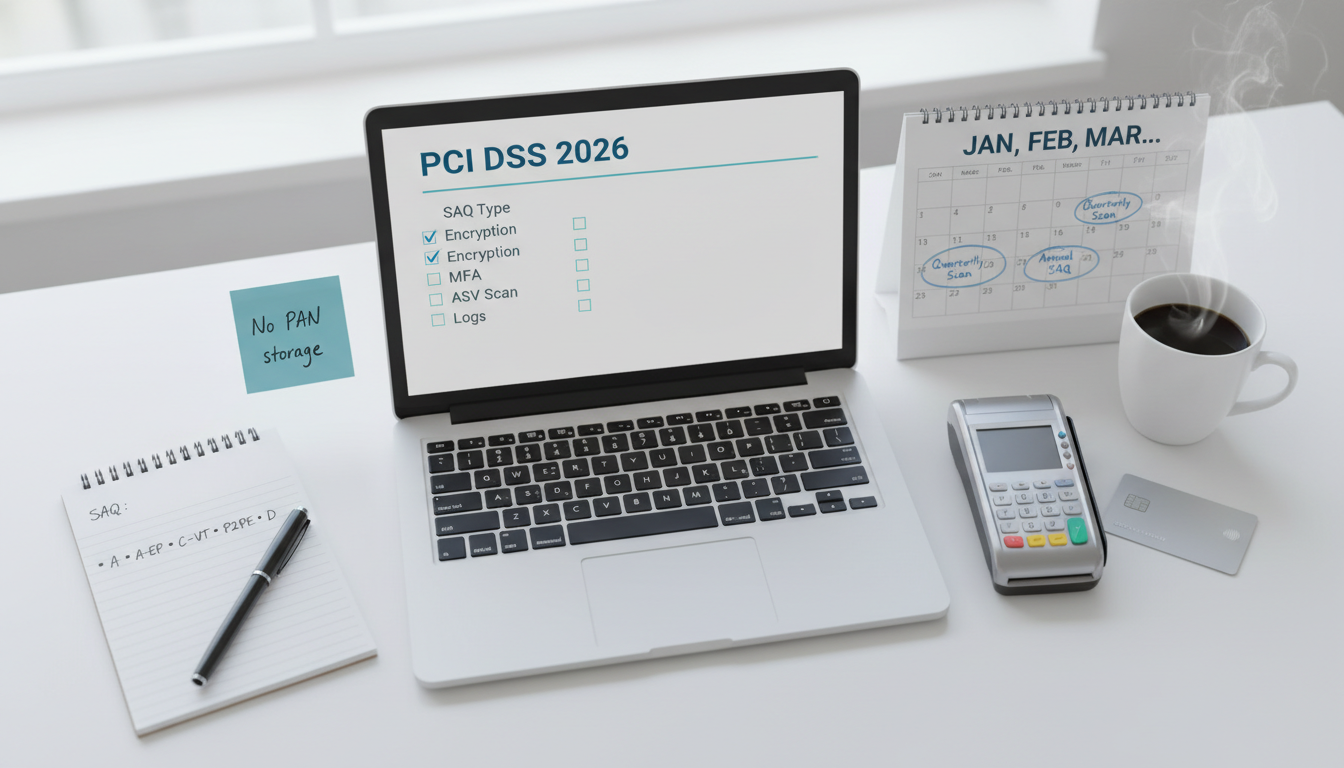
Determine Your SAQ Type

  • SAQ A
    • For fully hosted payment pages (no card data touches your server). Typical for Stripe/PayPal Checkout, Shopify hosted, etc.
  • SAQ A‑EP
    • E‑commerce using your own page with elements that could affect the payment page (e.g., JS), while card entry is still hosted elsewhere. More controls than SAQ A.
  • SAQ B/B‑IP
    • Imprint or standalone dial‑out terminals (rare now).
  • SAQ C‑VT
    • Virtual terminal only, via web browser.
  • SAQ P2PE
    • Using PCI‑validated point‑to‑point encryption solution for in‑person.
  • SAQ D
    • Catch‑all for merchants/service providers with full cardholder data environments (most controls).
PCI Compliance Checklist (12 Requirements, SMB‑Friendly)

  1. Install and maintain network security controls
  • Use a modern router/firewall; block inbound by default; allow only needed ports.
  • Separate guest Wi‑Fi from POS/admin networks; unique, strong Wi‑Fi passwords.
  1. Apply secure configurations to all systems
  • Disable default accounts/services; enforce OS and app baselines.
  • Keep CMS/plugins lean if selling online; remove unused software.
  1. Protect stored cardholder data (ideally, do not store it)
  • If using hosted checkout, do not store card numbers locally.
  • If storage is unavoidable, use strong encryption and key management (seek expert help).
  1. Protect card data in transit
  • Enforce HTTPS/TLS 1.2+ site‑wide; HSTS; trusted certificates.
  • For POS, ensure encrypted connections from terminals to processor.
  1. Use and maintain anti‑malware
  • Business‑grade endpoint protection on POS back‑office machines and admin laptops.
  1. Develop and maintain secure systems and software
  • Patch OS/applications within reasonable SLAs (e.g., critical within 7–14 days).
  • For ecommerce, keep platform and extensions up to date; avoid abandoned plugins/themes.
  1. Restrict access to card data by business need‑to‑know
  • Role‑based access; unique accounts; least privilege.
  1. Identify users and authenticate access
  • Unique IDs; strong passwords; MFA on admin panels, payment dashboards, and hosting.
  1. Restrict physical access to cardholder data
  • Lock server/network closets; secure POS devices; maintain visitor logs for sensitive areas.
  1. Log and monitor all access to systems
  • Enable logs on payment dashboards, admin panels, servers; centralize if possible.
  • Review anomalies monthly; retain logs per your policy.
  1. Test security of systems and networks
  • Quarterly external vulnerability scans (ASV) if in scope; internal scans monthly/quarterly.
  • Annual penetration test if required by your SAQ/type; at minimum, run regular vulnerability scans.
  1. Maintain a security policy and train staff
  • Write short policies: acceptable use, password, patching, incident response.
  • Train staff annually on card‑not‑present scams, phishing, and refund fraud.

Affordable Tools and Services

  • Web security
    • Managed WAF/CDN (e.g., Cloudflare) for small sites; free/low‑cost tiers exist.
    • TLS certificate management (auto‑renew, HSTS).
  • Endpoint & updates
    • Business antivirus/EDR; auto‑updates via OS management.
  • Vulnerability scanning
    • Quarterly ASV scan (if applicable) via approved vendors; internal scanners for monthly checks.
  • Backups & recovery
    • Automated daily backups of site/POS data; periodic restore tests.
  • Email security (not PCI, but risk‑relevant)
    • SPF, DKIM, DMARC configured; user training on phishing and invoice scams.

Annual Compliance Calendar

  • Monthly
    • Patch OS/apps; review logs; verify backups; check admin accounts; quick POS hardware checks.
  • Quarterly
    • External ASV scan (if required); internal vuln scan; access review; Wi‑Fi/password rotation if policy requires.
  • Annually
    • Complete the correct SAQ; update policies; staff training; test incident response; renew service contracts; optional tabletop exercise.

Common Pitfalls and How to Avoid Them

  • “We use Stripe so PCI doesn’t apply.”
    • You still have scope—complete SAQ A (usually) and secure your website, accounts, and processes.
  • Storing card data “just in case.”
    • Avoid storing PAN entirely; rely on tokens from your processor.
  • Shared logins across staff.
    • Enforce unique accounts and MFA; remove ex‑employee access promptly.
  • Neglected WordPress/plugins
    • Fewer plugins = smaller attack surface; keep themes/plugins current; remove what you don’t use.

FAQ

  • Do I need a QSA (Qualified Security Assessor)?
    • Most SMBs complete a self‑assessment (SAQ). A QSA is useful if scope is complex or you’re SAQ D.
  • Is an ASV scan mandatory?
    • For many e‑commerce merchants (A‑EP, D), yes—check with your acquiring bank or processor. SAQ A often does not require ASV, but confirm your setup.
  • What if I only use a virtual terminal occasionally?
    • SAQ C‑VT may apply; lock down the workstation and browser used for the terminal.
  • How long should I keep logs?
    • Minimums vary; many merchants keep 3–12 months of relevant logs depending on policy and local rules.

Compliance Notes

  • Coordinate with your processor/acquirer for exact SAQ and scanning requirements.
  • Keep records of your SAQ, scans, and remediation. Process evidence matters in audits or disputes.
  • PCI is security hygiene—good controls help beyond cards (e.g., account takeovers, invoice fraud).

Leave a Reply

Your email address will not be published. Required fields are marked *