
TL;DR: HubSpot’s CRM is free, but real costs come from its Hubs (Marketing, Sales, Service, CMS, Operations), which range from $20/month per seat (Starter) to $3,600+/month (Enterprise bundles). The biggest surprise for most buyers is the mandatory onboarding fee on Professional and Enterprise tiers, which can add $3,000–$6,000 upfront. Budget for the full bundle, not just the Hub you think you need.
Executive Summary
HubSpot’s pricing page is notoriously difficult to parse — not because the company is hiding anything, but because the product is genuinely modular. You’re not buying “HubSpot.” You’re buying some combination of five separate Hubs, each with its own tiers, contact limits, and seat-based pricing.
This guide breaks down every Hub, every tier, and the costs that catch most buyers off guard — particularly the mandatory onboarding fees that aren’t visible on the main pricing page.
Who This Guide Is For
- Businesses evaluating HubSpot for the first time
- Current users trying to understand why their renewal quote increased
- Marketers comparing HubSpot’s true cost against Salesforce, Pipedrive, or Zoho
- Agencies budgeting HubSpot implementations for clients
Understanding HubSpot’s Structure: The Five Hubs
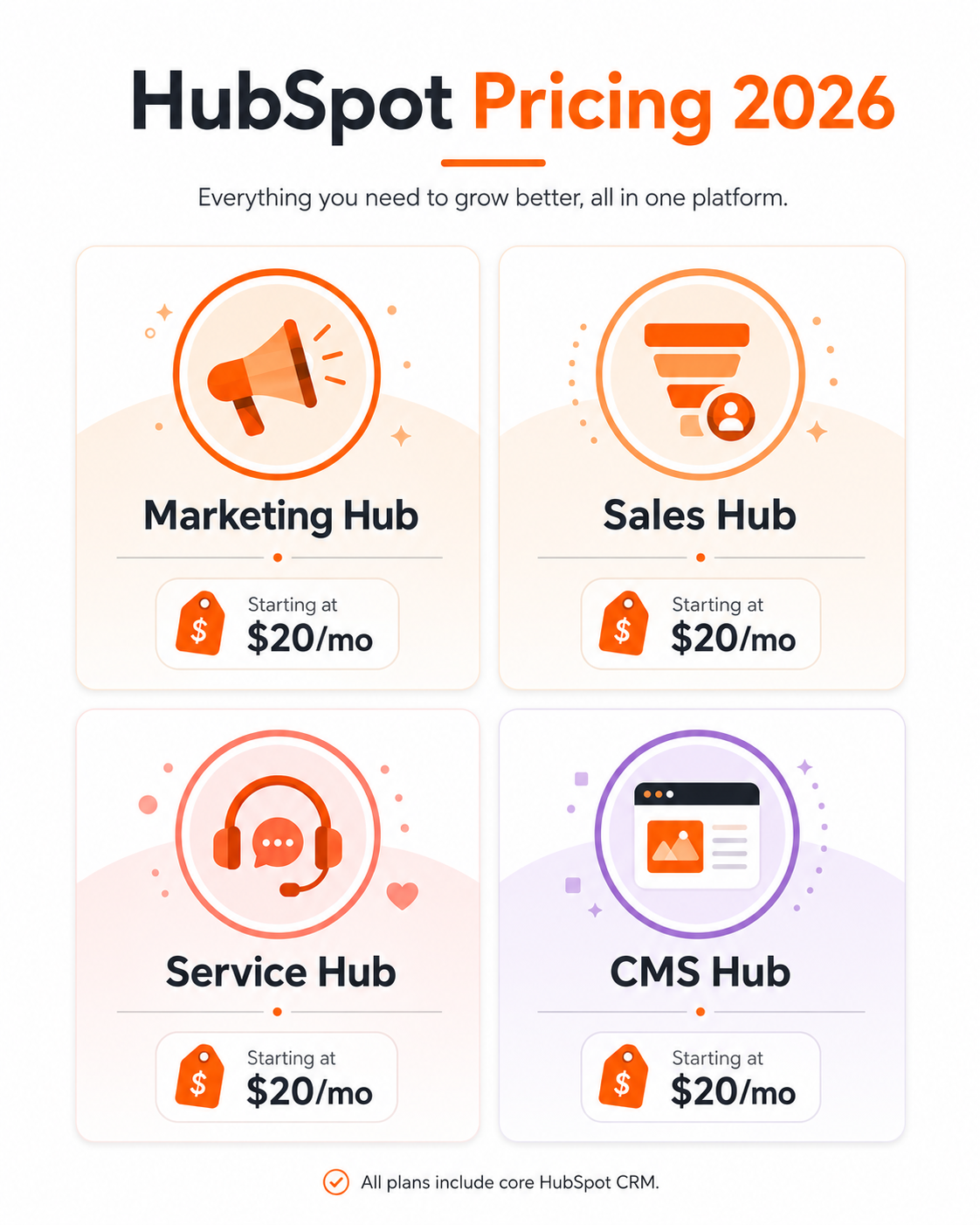
HubSpot is organized into five products, each sold separately or bundled:
| Hub | Purpose | Starting Price (Starter) |
|---|---|---|
| Marketing Hub | Email, landing pages, automation, ads | $20/month |
| Sales Hub | Deal pipelines, sequences, quotes | $20/month |
| Service Hub | Ticketing, knowledge base, customer feedback | $20/month |
| CMS Hub | Website hosting and content management | $23/month |
| Operations Hub | Data sync, workflow automation, data quality | $20/month |
The free CRM (contacts, basic deal tracking, basic email) is included regardless of which Hubs you purchase.
Tier Breakdown: What Each Level Actually Unlocks
Free Tier
Includes: Basic CRM, contact management, deal pipeline, email scheduling (limited), basic reporting.
Reality check: The free tier is genuinely usable for very small teams, but lacks automation, custom reporting, and most integrations that make HubSpot worth choosing over a spreadsheet.
Starter Tier — From $20/month per seat
Includes: Email marketing, basic automation, live chat, simple forms, removal of HubSpot branding.
Limitations: No A/B testing, limited automation workflows (single-step only on most Hubs), no custom reporting dashboards.
Professional Tier — From $890/month (Marketing Hub) or $100/seat/month (Sales/Service)
Includes: Multi-step automation workflows, A/B testing, custom reporting, SEO recommendations, smart content personalization.
This is where most growing businesses land. Professional tier is the realistic minimum for businesses wanting genuine marketing automation rather than basic email sends.
Enterprise Tier — From $3,600/month (Marketing Hub) or $150/seat/month (Sales/Service)
Includes: Custom objects, advanced permissions, predictive lead scoring, multi-touch revenue attribution, hierarchical teams.
Reality check: Enterprise pricing is built for organizations with dedicated marketing operations teams, not small businesses. The jump from Professional to Enterprise is the steepest price increase across the entire product line.
Marketing Hub Pricing Detail
| Tier | Monthly Price | Contacts Included | Key Feature Unlocked |
|---|---|---|---|
| Free | $0 | 1,000,000 (limited features) | Basic forms, basic email |
| Starter | $20 | 1,000 | Remove branding, basic automation |
| Professional | $890 | 2,000 | Multi-step workflows, A/B testing |
| Enterprise | $3,600 | 10,000 | Predictive scoring, custom reporting |
Critical detail: Contact tier overages are billed automatically. Exceeding your included contact limit triggers additional charges per 1,000 contacts over, typically $100–250/month depending on tier.
Sales Hub Pricing Detail
| Tier | Monthly Price (per seat) | Key Feature Unlocked |
|---|---|---|
| Free | $0 | Basic deal tracking |
| Starter | $20 | Sequences, basic automation |
| Professional | $100 | Deal automation, forecasting, playbooks |
| Enterprise | $150 | Predictive lead scoring, custom objects |
Note: Sales Hub pricing is per-seat, meaning costs scale directly with your team size — a 10-person sales team on Professional tier pays $1,000/month minimum.
CMS Hub Pricing Detail
| Tier | Monthly Price | Key Feature Unlocked |
|---|---|---|
| Starter | $23 | Basic website hosting and themes |
| Professional | $360 | Custom modules, SEO recommendations |
| Enterprise | $1,200 | Custom objects, advanced permissioning |
Best for: Businesses wanting their website and CRM data fully unified on one platform.
The Hidden Cost Most Buyers Miss: Onboarding Fees
This is the cost that surprises the most buyers. HubSpot requires (or strongly recommends) onboarding for Professional and Enterprise tiers, and these fees are billed separately and upfront, often not shown clearly during the sales process until late in negotiations.
| Tier | Typical Onboarding Fee |
|---|---|
| Starter | Usually waived or minimal |
| Professional | $1,500–$3,000 one-time |
| Enterprise | $3,000–$6,000+ one-time |
This is a one-time cost, but it’s rarely mentioned upfront on the pricing calculator — budget for it before signing.
Other Hidden Costs to Budget For
1. Bundle Pricing vs. Standalone Hub Pricing
Buying multiple Hubs individually costs significantly more than purchasing a “Growth Suite” or “CRM Suite” bundle. If you need both Marketing and Sales Hub, always request bundle pricing before purchasing separately.
2. Additional Seats Beyond Included Minimum
Professional and Enterprise tiers often include a base number of seats, with additional users priced separately — typically $45–$75/seat/month beyond the included count.
3. Annual Contract Lock-In
HubSpot’s Professional and Enterprise tiers are typically sold as 12-month minimum contracts. Monthly billing is available but usually at a price premium of 10-20% over annual commitment.
4. Marketing Contacts vs. Total Contacts
HubSpot bills based on “marketing contacts” — contacts you actively market to — not your total database. Businesses sometimes overpay by including non-marketing contacts (like internal team members) in their active count.
HubSpot vs. Competitors: Cost at 5,000 Contacts (Marketing + CRM)
| Platform | Approx. Monthly Cost | Notes |
|---|---|---|
| HubSpot (Marketing Pro) | ~$890+ | Includes onboarding fee separately |
| Pipedrive + Mailchimp | ~$150 | Requires managing two separate tools |
| Zoho CRM Plus | ~$300 | Single platform, less polished UX |
| ActiveCampaign | ~$150 | CRM + automation combined |
HubSpot is rarely the cheapest option at this contact tier — its premium pricing reflects platform polish, integration ecosystem, and support quality rather than raw cost efficiency.
How to Reduce Your HubSpot Costs
- Start with Starter tier and prove ROI before upgrading to Professional — many businesses overbuy initially
- Negotiate the onboarding fee — HubSpot sales reps frequently have discretion to reduce or waive this for annual commitments
- Audit your marketing contacts list — remove internal team members, duplicates, and long-unengaged contacts before renewal
- Request bundle pricing if purchasing more than one Hub — never buy Hubs separately without checking the Suite price
- Time your purchase around HubSpot’s quarterly promotions — discounts of 20-30% on annual plans are common during certain sales periods
Frequently Asked Questions
Is HubSpot’s CRM really free forever?
Yes, the core CRM (contact management, basic deal pipeline, basic email) is free with no time limit. However, most of the automation and reporting that makes HubSpot valuable requires a paid Hub.
Why did my HubSpot bill increase without me changing plans?
The most common reasons are exceeding your marketing contact tier limit (triggering automatic overage billing) or adding seats beyond your included minimum.
Is the onboarding fee mandatory?
For Professional and Enterprise tiers, HubSpot generally requires guided onboarding, billed separately from your subscription. It’s sometimes negotiable, especially with annual contract commitments.
What’s the difference between marketing contacts and total contacts?
Marketing contacts are people you actively send marketing emails or ads to and are billed accordingly. Total contacts include everyone in your CRM, including non-marketed contacts, which don’t count toward your Marketing Hub tier.
Can I buy just one Hub without the others?
Yes, each Hub can be purchased standalone. However, if you anticipate needing two or more Hubs eventually, bundle pricing (Suite plans) is almost always cheaper than buying separately later.
Is HubSpot worth it compared to cheaper alternatives?
For businesses that value a unified platform, strong support, and a large integration ecosystem, yes. For businesses purely optimizing for cost, combining cheaper specialized tools (like Pipedrive + Mailchimp) is often less expensive.
How much does HubSpot cost for a 10-person sales team?
On Sales Hub Professional at $100/seat/month, that’s $1,000/month minimum, before any Marketing or Service Hub costs.
Does HubSpot offer discounts for startups or nonprofits?
Yes, HubSpot offers a startup program with discounted pricing for qualifying early-stage companies, and discounted rates are sometimes available for registered nonprofits.
Final Verdict
HubSpot’s pricing is genuinely modular, which is both its strength and the source of most buyer confusion. The advertised “starting at” prices are accurate for the smallest tier and smallest team — but most growing businesses end up on Professional tier with multiple Hubs, multiple seats, and a one-time onboarding fee that isn’t visible until late in the sales process.
Before signing, request a full itemized quote covering your actual contact count, required seats, and onboarding — not just the headline monthly price. For most small-to-mid businesses, the realistic starting budget is $900–1,500/month once Marketing Hub Professional and basic Sales Hub access are factored in.
Pricing reflects publicly available HubSpot rates as of mid-2026. HubSpot updates pricing and bundling periodically — verify current rates directly on HubSpot’s official pricing page or with a sales representative before purchasing.