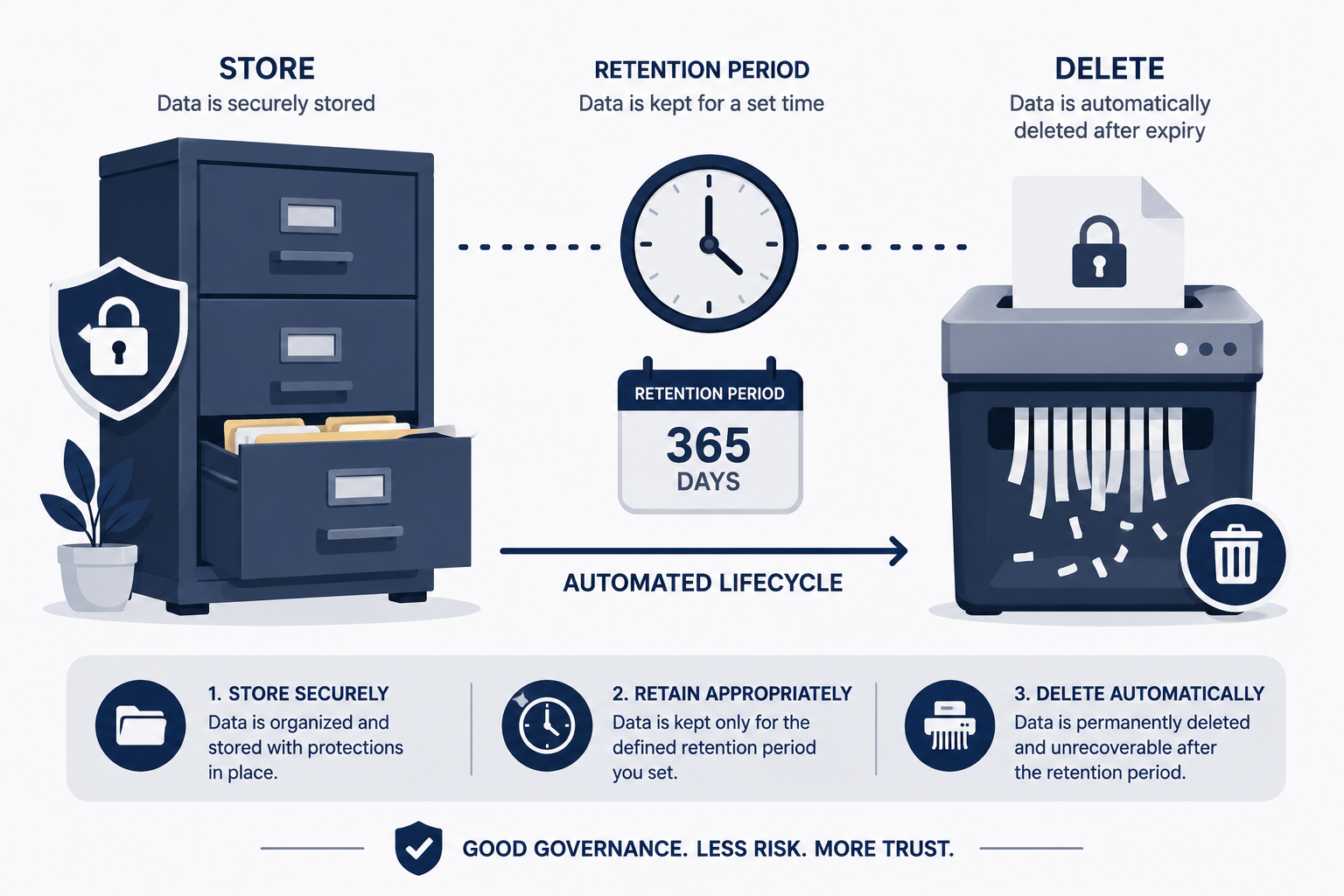

TL;DR: A compliant data retention policy for analytics should specify exactly how long different categories of data are kept, automatically delete data once it’s no longer needed for its original purpose, and align with GDPR’s data minimization principle. GA4’s default retention setting (2 months for some reports) is often shorter than businesses realize, while other platforms may retain data indefinitely unless configured otherwise — both extremes carry compliance risk.
Executive Summary
Most businesses configure analytics tools once and never revisit retention settings — a gap that creates real compliance exposure under GDPR and similar privacy frameworks, which require that personal data not be kept longer than necessary for its stated purpose. Conversely, some platforms default to surprisingly short retention windows that quietly destroy historical data businesses assumed they could analyze for year-over-year comparisons.
This guide explains the compliance requirements driving data retention decisions, recommended retention periods by data type, and how to configure your specific analytics platform correctly.
Who This Guide Is For
- Marketers and analysts setting up or auditing analytics retention settings
- Compliance teams building documented data governance policies
- Businesses subject to GDPR, CCPA, or similar data minimization requirements
- Anyone surprised to discover historical analytics data has been automatically deleted
Why Data Retention Policies Matter for Analytics
Compliance Requirement: Data Minimization
GDPR’s data minimization principle requires that personal data be kept no longer than necessary for the purpose it was originally collected for. Indefinite retention of identifiable analytics data without a documented justification creates direct compliance exposure.
Practical Business Need: Historical Reporting
Conversely, businesses need sufficient historical data for legitimate purposes like year-over-year trend analysis, making indiscriminately short retention periods impractical for genuine business operations.
The Balance: Purpose-Based Retention
The compliant approach isn’t choosing one extreme — it’s defining specific retention periods based on the actual business purpose for each data category, then enforcing those periods through platform configuration or manual processes.
GA4’s Default Retention Settings
GA4’s retention settings specifically apply to user-level and event-level data used in certain exploratory reports — not to aggregated standard reports, which are retained differently.
| Setting | Retention Period | What It Affects |
|---|---|---|
| 2 months (default for some properties) | Shortest available option | User-level exploration reports |
| 14 months | Longer option, manually configurable | User-level exploration reports |
| Standard aggregated reports | Generally retained longer, per Google’s standard reporting retention | Most dashboard and standard reports |
Critical action item: If your GA4 property defaults to 2-month retention and you need year-over-year comparison capability for exploratory analysis, you must manually change this setting in Admin → Data Settings → Data Retention — Google does not extend this automatically.
Recommended Retention Periods by Data Category
| Data Category | Recommended Retention | Rationale |
|---|---|---|
| Raw, identifiable user-level event data | 3-14 months | Balances analysis needs with minimization principle |
| Aggregated, anonymized traffic reports | 24-36+ months | No individual privacy risk once properly anonymized |
| Marketing campaign performance data | 24-36 months | Supports meaningful year-over-year campaign comparison |
| Cookie consent records | 3-5 years (varies by jurisdiction) | Often required as compliance evidence |
| IP addresses (if collected) | As short as feasible, often under 30 days | High sensitivity, minimal legitimate long-term need |
Important: These are general guidance ranges, not universal legal requirements — specific retention periods should be justified based on your actual business purpose and reviewed against current guidance for your specific jurisdiction.
Building a Documented Retention Policy
Step 1: Inventory What Data You Actually Collect
Document every category of data your analytics setup collects — page views, user IDs, IP addresses, conversion events, custom dimensions — before deciding retention periods.
Step 2: Define the Business Purpose for Each Category
For each data category, articulate specifically why you need it and for how long that need genuinely persists. “We might need it someday” is not a defensible purpose under data minimization principles.
Step 3: Set Retention Periods Aligned to Purpose
Match retention settings to the documented purpose — if you need 12 months of data for annual trend analysis, set retention accordingly rather than defaulting to either extreme.
Step 4: Configure Platform Settings to Enforce the Policy
Adjust your actual analytics platform settings (GA4 retention settings, Matomo data anonymization schedules, etc.) to technically enforce your documented policy, rather than just having a policy document that doesn’t match actual configuration.
Step 5: Document the Policy for Compliance Purposes
Maintain written documentation of your retention periods and rationale, ready to produce if a regulator or data subject requests information about your data handling practices.
Step 6: Review and Update Periodically
Revisit your retention policy at least annually, since business needs and regulatory guidance both evolve over time.
Anonymization as an Alternative to Deletion
Rather than fully deleting data after a retention period, many platforms support anonymization — stripping personally identifiable elements while retaining aggregate trend value.
Benefits of anonymization over full deletion:
- Preserves long-term trend analysis capability
- Reduces compliance risk since anonymized data generally falls outside personal data protection requirements
- Avoids the all-or-nothing tradeoff between compliance and business analytics needs
Platforms supporting this approach: Matomo offers configurable IP anonymization and data anonymization scheduling. GA4’s standard aggregated reporting already operates on largely anonymized data even when raw event-level retention is short.
Common Data Retention Mistakes
| Mistake | Risk |
|---|---|
| Never reviewing default retention settings after initial setup | Either over-retention (compliance risk) or unexpected data loss (business risk) |
| No documented justification for retention periods | Inability to defend retention choices if challenged by a regulator |
| Treating all data types with the same retention period | Either over-retaining sensitive data or under-retaining genuinely needed aggregate data |
| Assuming GA4’s default settings meet compliance requirements automatically | Default settings reflect Google’s general configuration, not your specific compliance obligations |
| No process for honoring individual deletion requests within retained analytics data | GDPR’s right to erasure applies to analytics data containing identifiable information, not just CRM data |
Handling Right to Erasure Requests in Analytics Data
If your analytics setup collects identifiable information (logged-in user IDs, customer email hashes), GDPR’s right to erasure applies to this data, not just your CRM or email marketing systems.
Practical steps:
- Identify which analytics data is genuinely identifiable versus fully anonymized aggregate data
- Establish a process to locate and delete specific individual records upon a valid deletion request
- Document the fulfillment of deletion requests for compliance record-keeping
- Consider minimizing identifiable data collection in analytics from the outset, reducing the operational burden of handling future deletion requests
Frequently Asked Questions
Does GA4’s 2-month default retention setting put me at compliance risk?
A short retention period itself doesn’t create compliance risk — if anything, shorter retention aligns well with data minimization principles. The risk is more often the opposite: businesses extending retention to 14 months without documenting why that extended period is genuinely necessary.
Can I recover GA4 data after the retention period expires?
No, once GA4’s retention period passes for user-level event data, it’s permanently deleted and cannot be recovered. This is why understanding and intentionally configuring this setting matters before you need historical data that’s already been purged.
Is anonymized data exempt from GDPR retention requirements?
Generally yes, fully and irreversibly anonymized data (where individuals cannot be re-identified) falls outside GDPR’s personal data protections, including its retention limitations.
How long should I keep cookie consent records?
This varies by jurisdiction, but commonly 3-5 years is recommended as a reasonable period to demonstrate consent compliance if challenged, balanced against minimization principles.
Do I need a written data retention policy, or is platform configuration enough?
Both matter — written documentation demonstrates accountability and intentional decision-making to regulators, while platform configuration is what actually enforces the policy in practice. Documentation without matching configuration (or vice versa) creates compliance gaps.
Does self-hosted Matomo give me more retention control than GA4?
Yes, self-hosted Matomo gives you complete control over retention and anonymization scheduling, since you control the underlying database directly, rather than relying on a vendor’s platform-specific settings.
What happens if someone requests deletion of their analytics data specifically?
You must locate and delete their identifiable analytics records if your data collection includes information that could identify them, following the same right to erasure principles that apply to other personal data systems like your CRM.
Should retention periods differ between EU and non-EU traffic?
Many businesses apply a uniform, GDPR-compliant retention policy across all traffic regardless of origin, since this simplifies implementation and provides consistent protection, even though stricter requirements technically apply only to EU/UK data subjects.
Final Verdict
A genuinely compliant data retention policy for analytics requires moving past default platform settings toward intentional, documented retention periods matched to actual business purpose. Neither indefinite retention nor reflexively short defaults satisfy data minimization principles on their own — the compliant approach requires deliberate configuration backed by documented rationale.
Review your current analytics retention settings today, particularly GA4’s data retention configuration if you’re using it, since the default settings may not match either your compliance obligations or your actual business reporting needs.
This guide provides general informational content and does not constitute legal advice. Data retention requirements vary by jurisdiction and business context — consult a qualified privacy professional for guidance specific to your situation.