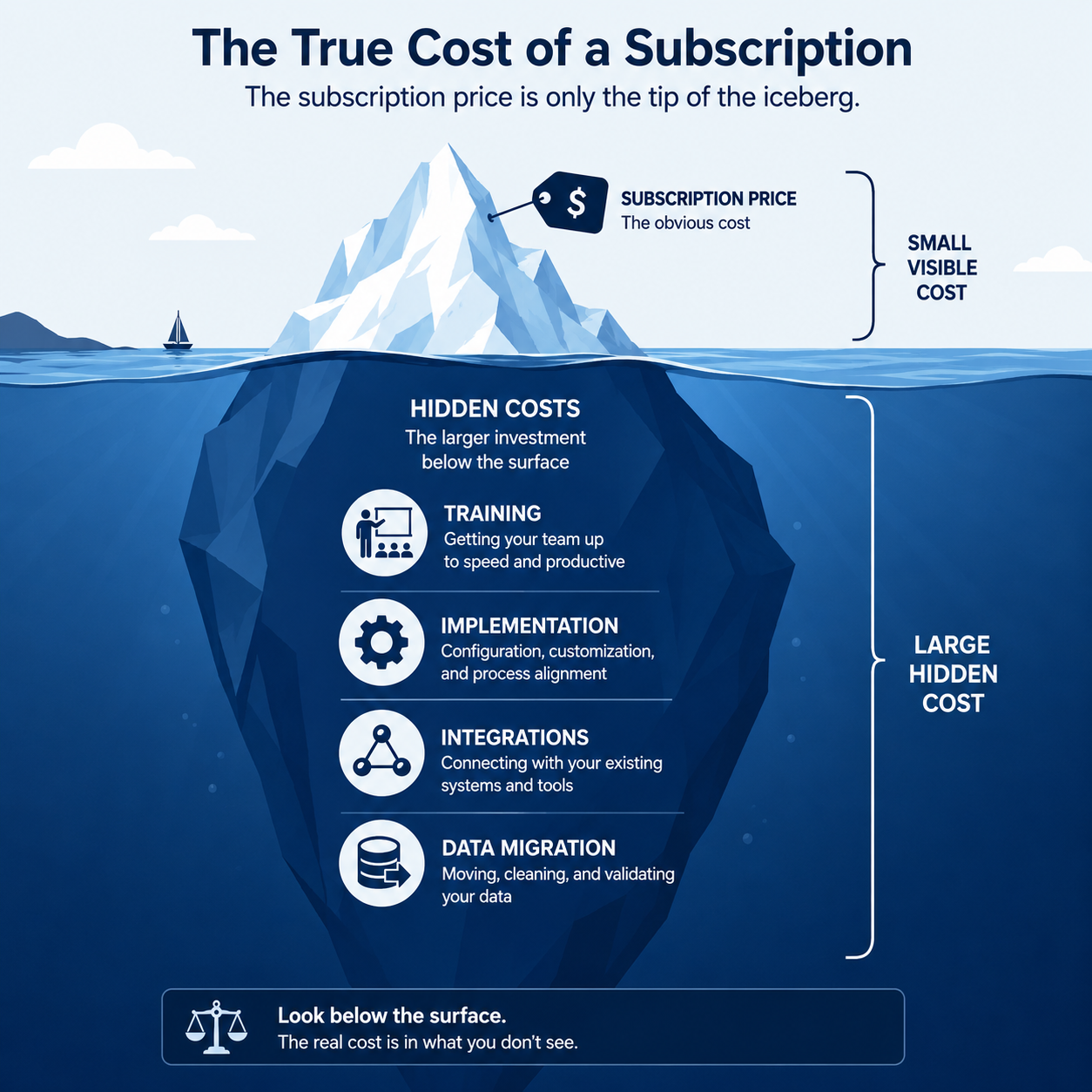

TL;DR: A CRM’s advertised per-seat price typically represents only 40-60% of its true first-year cost. Implementation, data migration, training, integrations, and ongoing administration routinely add as much or more than the subscription fee itself. For a 10-person team, expect total first-year costs of $15,000–$40,000+ for mid-tier platforms like HubSpot or Salesforce, not just the $2,000–$12,000 the subscription price suggests.
Executive Summary
CRM vendors advertise per-seat, per-month pricing because it’s the easiest number to compare across competitors — and the smallest number on the invoice. The actual cost of running a CRM successfully includes implementation, data migration, integration setup, training, and ongoing administration, none of which appear on the pricing page.
This guide breaks down every cost category that contributes to genuine total cost of ownership (TCO), with realistic estimates so you can budget accurately rather than being surprised mid-implementation.
Who This Guide Is For
- Businesses comparing CRM platforms based on more than just sticker price
- Finance and operations teams building an accurate software budget
- Companies that underestimated a previous CRM implementation’s true cost
- Procurement teams evaluating vendor proposals for completeness
The Five Cost Categories Most Buyers Miss
1. Subscription Fees (The Visible Cost)
This is what vendors advertise — per-user, per-month pricing, often with tiered features. It’s real, but it’s rarely the full story.
2. Implementation and Setup
Configuring pipeline stages, custom fields, automation workflows, and permission structures takes time — either your team’s time or a paid consultant’s. For Professional/Enterprise tiers of platforms like HubSpot or Salesforce, vendors often require or strongly recommend paid onboarding.
3. Data Migration
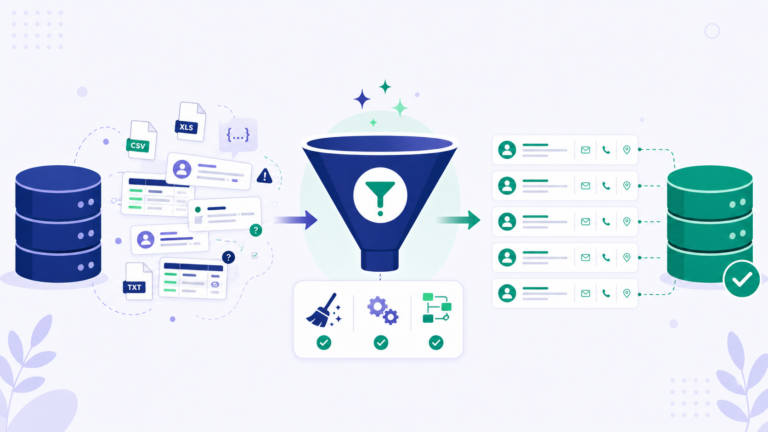
Moving existing contacts, deals, and historical activity from spreadsheets or a previous CRM into the new system. Costs scale with data volume and complexity (deduplication, field mapping, relationship preservation).
4. Integrations
Connecting your CRM to email, calendar, accounting software, marketing tools, and phone systems. Some integrations are included; others require paid middleware (like Zapier) or custom development work.
5. Training and Ongoing Administration
Initial team training, plus ongoing administrative time to manage permissions, troubleshoot issues, and maintain data quality as your team and processes evolve.
Realistic TCO Breakdown: 10-User Team, Year 1
HubSpot (Marketing + Sales Hub Professional)
| Cost Category | Estimated Cost |
|---|---|
| Subscription (Sales Hub Pro, 10 users) | $12,000/year |
| Subscription (Marketing Hub Pro) | $10,680/year |
| Onboarding fee | $3,000 (one-time) |
| Data migration | $1,500–3,000 |
| Integration setup | $500–2,000 |
| Training time (internal) | ~40 hours @ team rate |
| Estimated Year 1 Total | ~$28,000–32,000 |
Salesforce (Professional Edition)
| Cost Category | Estimated Cost |
|---|---|
| Subscription (10 users, Professional) | $9,600/year |
| Implementation/consultant | $5,000–15,000 |
| Data migration | $2,000–5,000 |
| Integration/AppExchange add-ons | $1,500–5,000/year |
| Training | ~40-60 hours @ team rate |
| Estimated Year 1 Total | ~$20,000–37,000 |
Zoho CRM (Professional)
| Cost Category | Estimated Cost |
|---|---|
| Subscription (10 users, Professional) | $2,760/year |
| Implementation (mostly self-service) | $0–1,500 |
| Data migration | $500–1,500 |
| Integration setup | $200–1,000 |
| Training | ~20-30 hours @ team rate |
| Estimated Year 1 Total | ~$3,500–6,500 |
Pipedrive (Professional)
| Cost Category | Estimated Cost |
|---|---|
| Subscription (10 users, Professional) | $6,000/year |
| Implementation (mostly self-service) | $0–1,000 |
| Data migration | $500–1,500 |
| Integration setup | $200–800 |
| Training | ~15-20 hours @ team rate |
| Estimated Year 1 Total | ~$7,000–9,500 |
Why the Gap Between Subscription and TCO Varies So Much
The gap between advertised subscription price and true TCO correlates closely with platform complexity:
- Enterprise-oriented platforms (Salesforce, HubSpot Enterprise) have the widest gap, since their flexibility requires more configuration decisions, often necessitating paid implementation support
- SMB-focused platforms (Zoho, Pipedrive) have a narrower gap, designed for self-service setup without requiring consultants
- The more customization your business needs, the higher implementation costs climb regardless of platform — complex sales processes cost more to configure no matter which CRM you choose
Hidden Ongoing Costs Beyond Year 1
TCO doesn’t end after implementation. Ongoing costs to budget for include:
- Seat cost increases as your team grows — model your 2-3 year headcount growth, not just current team size
- Add-on feature unlocks as you discover you need capabilities not included in your initial tier
- Data cleanup and maintenance — CRMs degrade in usefulness without ongoing data hygiene, which requires dedicated time or a part-time admin role
- Annual price increases — most vendors increase per-seat pricing at renewal, sometimes by 5-15% annually
- Re-implementation costs if your sales process changes significantly and existing automation/configuration no longer fits
How to Build an Accurate CRM Budget
Step 1: Get the Full Subscription Quote, Not Just the Advertised Price
Request a quote covering your actual user count and required feature tier — advertised “starting at” prices apply only to the smallest tier and feature set.
Step 2: Ask Directly About Onboarding/Implementation Fees
For Professional and Enterprise tiers, ask explicitly whether onboarding is mandatory and what it costs — this is often not disclosed until late in the sales process.
Step 3: Estimate Data Migration Complexity Honestly
A clean dataset of 1,000 contacts costs far less to migrate than 10,000 contacts spread across multiple disconnected spreadsheets with duplicates and inconsistent formatting.
Step 4: List Every Required Integration
Email, calendar, accounting, marketing automation, phone/dialer — confirm which are natively included versus requiring paid middleware or custom development.
Step 5: Estimate Internal Training Time at Real Hourly Cost
Multiply estimated training hours by your team’s actual loaded hourly cost (salary plus overhead) — this is a real cost even though no invoice is generated for it.
Step 6: Model 3-Year Cost, Not Just Year 1
Year 1 includes one-time implementation costs that don’t recur. Model years 2 and 3 separately to understand your true ongoing run rate versus the front-loaded first-year investment.
TCO Comparison Summary
| Platform | Year 1 TCO (10 users) | Year 2+ Ongoing | Best TCO Profile |
|---|---|---|---|
| HubSpot Professional | $28,000–32,000 | $22,000–24,000/year | High upfront, justified by depth |
| Salesforce Professional | $20,000–37,000 | $9,600–15,000/year | Highly variable based on customization |
| Zoho CRM Professional | $3,500–6,500 | $2,760–3,500/year | Lowest TCO for comparable functionality |
| Pipedrive Professional | $7,000–9,500 | $6,000–7,000/year | Low TCO, sales-pipeline focused |
Frequently Asked Questions
Why don’t CRM vendors disclose full TCO upfront?
Implementation and ongoing costs vary significantly by business complexity, making a single advertised number impossible. However, this also means vendors have less incentive to proactively disclose costs that only become clear deeper in the sales process.
Is it worth paying for professional implementation rather than DIY setup?
For complex platforms (Salesforce, HubSpot Enterprise) with intricate customization needs, professional implementation often pays for itself by avoiding costly reconfiguration later. For simpler platforms (Zoho, Pipedrive), DIY setup is often perfectly adequate.
How much should I budget for CRM data migration?
This depends heavily on data volume and cleanliness. As a rough guide, budget $500-1,500 for a clean dataset under 5,000 contacts, scaling up significantly for larger or messier datasets requiring deduplication.
Does TCO improve significantly after Year 1?
Yes, typically — one-time implementation and migration costs don’t recur, so Year 2+ costs usually drop closer to just the subscription fee plus modest ongoing administration time.
Should I negotiate implementation fees with vendors?
Yes, particularly for annual contract commitments. Many vendors have discretion to reduce or waive onboarding fees, especially during competitive sales situations.
How do I estimate the cost of my team’s training time?
Multiply estimated training hours per employee by their loaded hourly cost (salary divided by annual working hours, plus a reasonable overhead multiplier), then sum across your team.
Is a cheaper CRM always lower TCO?
Generally yes for straightforward sales processes, but not always — if a cheaper platform requires significantly more workaround customization or lacks needed integrations, the cumulative cost of inefficiency can exceed a pricier platform’s TCO.
What’s the biggest TCO mistake businesses make?
Budgeting only for the advertised subscription price and being caught off guard by implementation, migration, and training costs that can double or triple the expected first-year spend.
Final Verdict
The advertised subscription price for any CRM represents the floor of your actual cost, not the ceiling. For platforms like HubSpot and Salesforce, implementation, training, and migration routinely add 50-150% on top of the subscription fee in year one. SMB-focused platforms like Zoho and Pipedrive carry a much narrower gap, making their advertised pricing a more reliable proxy for actual cost.
Before committing to any platform, request a complete cost breakdown covering implementation, migration, and required integrations — not just the per-seat subscription quote. The vendor with the cheapest advertised price is not always the one with the lowest genuine total cost of ownership.
Cost estimates reflect general industry patterns as of mid-2026 and will vary significantly based on business complexity, negotiated terms, and implementation approach. Request a detailed quote from vendors for figures specific to your situation.