
TL;DR: Successful CRM implementation depends far more on data quality, team buy-in, and a phased rollout than on which platform you choose. The most common failure pattern is migrating messy data into a new system and expecting adoption to happen automatically. Follow this 10-step checklist — covering planning, data migration, configuration, training, and post-launch review — to avoid the rollout mistakes that cause most CRM projects to underdeliver.
Executive Summary
Industry studies consistently find that a large share of CRM implementations fail to deliver expected ROI — not because the software itself is flawed, but because of poor planning, messy data migration, and low user adoption. The platform matters far less than most buyers assume; execution is what determines success.
This checklist walks through the complete implementation process, from pre-launch planning through post-launch optimization, with specific attention to the failure points that derail most rollouts.
Who This Guide Is For
- Businesses about to implement a new CRM for the first time
- Teams migrating from one CRM to another
- Sales managers responsible for driving team adoption
- IT or operations leads overseeing a CRM rollout project
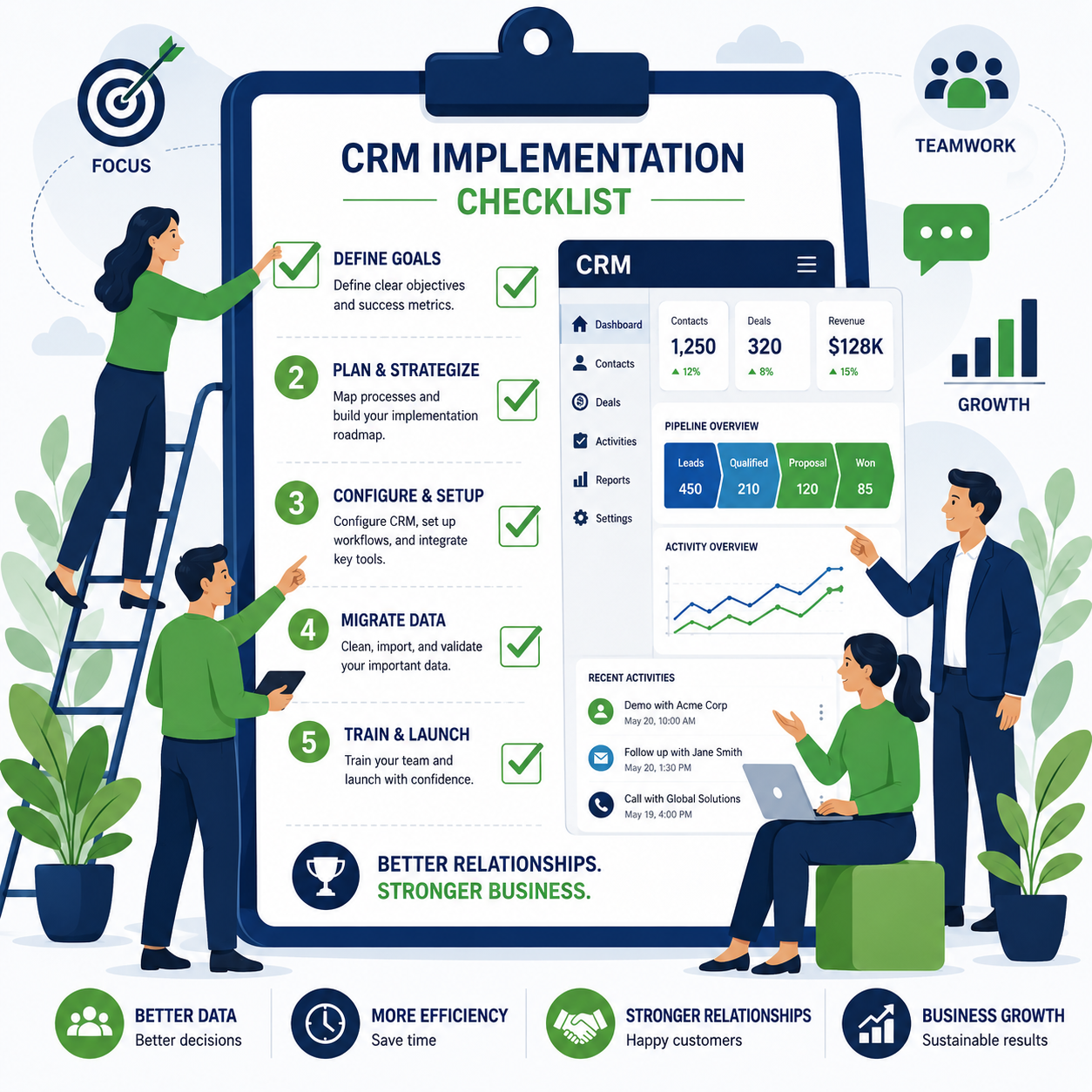
Step 1: Define Your Specific Goals Before Choosing Features
Before touching any software settings, document exactly what you want the CRM to achieve. Vague goals like “better organization” lead to vague implementations.
Specific, useful goals look like:
- Reduce average lead response time from 2 hours to 15 minutes
- Eliminate duplicate outreach by giving the team shared visibility into contact history
- Generate accurate weekly pipeline forecasts without manual spreadsheet compilation
Write these down and revisit them at the end of implementation to measure actual success.
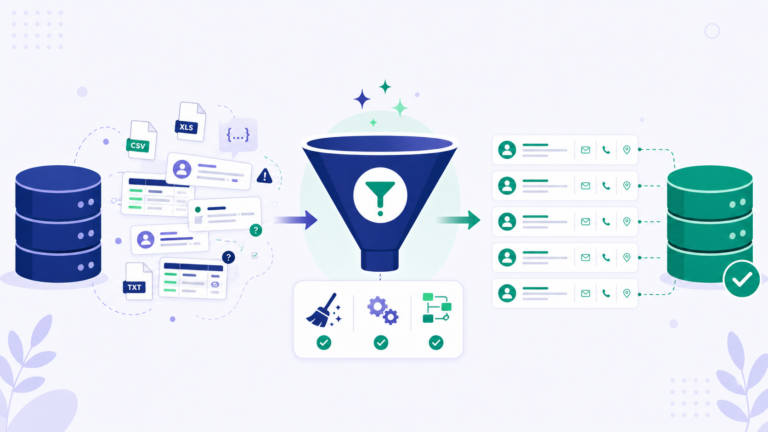
Step 2: Audit and Clean Your Existing Data Before Migration
This is the step most teams skip, and it’s the single biggest predictor of implementation success or failure.
Before migrating, address:
- Duplicate contacts and companies across spreadsheets or your old system
- Inconsistent formatting (phone numbers, company names, deal stages)
- Outdated or invalid contacts that shouldn’t be migrated at all
- Missing critical fields that you’ll need for segmentation or reporting later
Reality check: Migrating messy data into a clean new system just recreates the same problems in a new place — clean first, migrate second.
Step 3: Map Your Sales Process to CRM Pipeline Stages
Don’t accept a CRM’s default pipeline stages without reviewing them against your actual sales process. Common stages to customize:
- Lead source tracking (where did this contact originate)
- Qualification criteria specific to your business
- Stage names that match how your team actually talks about deals internally
- Required fields at each stage to maintain data quality going forward
Step 4: Configure Integrations Before Launch, Not After
Identify which tools must connect to your CRM from day one — email, calendar, phone/dialer, marketing automation, accounting software. Configuring these after launch creates a painful transition period where data lives in disconnected systems.
Priority integrations to configure first:
- Email sync (Gmail or Outlook)
- Calendar sync for meeting scheduling
- Any existing marketing automation platform
- Accounting/invoicing software if deal-to-invoice handoff matters to your workflow
Step 5: Build Your First 3 Automations Before Full Rollout
Rather than trying to automate everything immediately, identify the three highest-impact automations and build those first:
- New lead notification and routing — instant alert to the right rep
- Follow-up reminder for deals with no activity in X days
- Welcome or onboarding sequence for newly won customers
Additional automation can be layered in after the team is comfortable with core CRM usage.
Step 6: Migrate Data in a Test Environment First
Never migrate your full dataset directly into production on day one. Run a test migration with a representative sample, verify field mapping and data integrity, then proceed to the full migration only after confirming the test was clean.
Check specifically for:
- Correct field mapping (data landing in the right CRM fields)
- Preserved relationships (contacts correctly linked to their companies and deals)
- No data truncation or formatting corruption during transfer
Step 7: Set Permissions and Roles Before Anyone Logs In
Define who can see and edit what before your team starts using the system, rather than retrofitting permissions after data is already in an inconsistent state.
Common permission tiers:
- Sales reps: full access to their own contacts/deals, limited visibility into others’
- Sales managers: full visibility across the team for coaching and forecasting
- Admin/operations: full system configuration access, limited to 1-2 people
Step 8: Train the Team With Real Scenarios, Not Generic Tutorials
Generic “here’s how to add a contact” training doesn’t build genuine adoption. Train using your team’s actual, real-world scenarios.
Effective training approach:
- Walk through an actual recent deal from your pipeline, stage by stage
- Have reps log a real call or email using the new system during the training session itself
- Address the specific objections your team already has about switching tools
Step 9: Launch With a Defined Adoption Monitoring Period
The first 30 days after launch are critical for catching adoption problems before they become permanent habits.
Monitor specifically for:
- Reps reverting to spreadsheets or personal notes instead of the CRM
- Inconsistent data entry that suggests confusion about required fields
- Low login frequency among specific team members who may need additional support
Address gaps immediately rather than waiting for a quarterly review — early intervention prevents bad habits from becoming permanent.
Step 10: Review Against Your Original Goals at 60 and 90 Days
Return to the specific goals you defined in Step 1 and measure actual progress.
Questions to answer:
- Did lead response time actually improve, and by how much?
- Is pipeline reporting now accurate without manual spreadsheet reconciliation?
- Has duplicate outreach decreased based on shared visibility?
If goals aren’t being met, diagnose whether the issue is configuration (fixable), training (revisit Step 8), or fundamental platform fit (a harder conversation, but better to have it now than after a year of underuse).
Common CRM Implementation Mistakes
| Mistake | Consequence |
|---|---|
| Migrating dirty data without cleaning first | Recreates old problems in the new system |
| Skipping the test migration | Discover data corruption only after full rollout |
| Over-automating before the team understands basics | Confusion and resistance to the new system |
| Training once and assuming retention | Knowledge gaps surface weeks later as bad habits |
| No defined success metrics | No way to know if the implementation actually worked |
| Choosing default pipeline stages without customization | Pipeline data doesn’t reflect actual sales process |
Realistic Implementation Timeline
| Phase | Timeframe | Key Activities |
|---|---|---|
| Planning & data audit | Weeks 1-2 | Define goals, clean existing data |
| Configuration | Weeks 2-3 | Pipeline stages, integrations, permissions |
| Test migration | Week 3 | Sample data migration and verification |
| Full migration | Week 4 | Complete data transfer to production |
| Training | Weeks 4-5 | Team onboarding with real scenarios |
| Launch & monitoring | Weeks 5-8 | Active adoption monitoring, quick fixes |
| Review | Weeks 8-12 | Measure against original goals, adjust |
Frequently Asked Questions
How long does a typical CRM implementation take?
For small businesses, a focused implementation typically takes 4-8 weeks from planning through stable adoption, though complex data migrations or larger teams can extend this timeline.
Should we migrate all historical data or start fresh?
This depends on how valuable historical context is to your sales process. Many businesses migrate active contacts and deals while archiving (rather than fully migrating) older, inactive records to keep the new system clean.
What’s the biggest cause of CRM implementation failure?
Poor data quality going into migration and insufficient team training are the two most commonly cited causes, more so than the specific platform chosen.
Do we need a dedicated project manager for CRM implementation?
For small teams, a single internal champion (often a sales manager or operations lead) is usually sufficient. Larger or more complex implementations benefit from a dedicated project manager or external consultant.
How do we get reluctant team members to actually use the new CRM?
Involve them early in configuration decisions, train using their actual real-world workflows rather than generic tutorials, and address specific objections directly rather than dismissing resistance.
Should we run our old system and new CRM in parallel during transition?
Brief parallel running (1-2 weeks) can ease transition anxiety, but extended parallel use often becomes a crutch that delays genuine adoption of the new system. Set a firm cutover date.
How often should we revisit and adjust our CRM configuration after launch?
Plan a formal review at 60 and 90 days post-launch, then quarterly thereafter as your sales process or team evolves.
What should we do if the implementation isn’t meeting our original goals?
First diagnose whether the root cause is configuration, training, or data quality — these are usually fixable. If the platform genuinely doesn’t fit your business needs after addressing these, that’s a harder but important conversation to have early rather than after prolonged underuse.
Final Verdict
CRM implementation success depends far more on disciplined process than on platform selection. Clean your data before migrating, train your team using real scenarios rather than generic tutorials, and actively monitor adoption in the critical first 30 days rather than assuming the system will simply work itself out.
The businesses that get strong ROI from their CRM investment are consistently the ones that treated implementation as a structured project with defined goals — not the ones that simply turned on a new tool and hoped for adoption.
This guide provides general implementation guidance applicable across most CRM platforms as of mid-2026. Specific steps may vary depending on your chosen platform and business complexity.