Skip to content
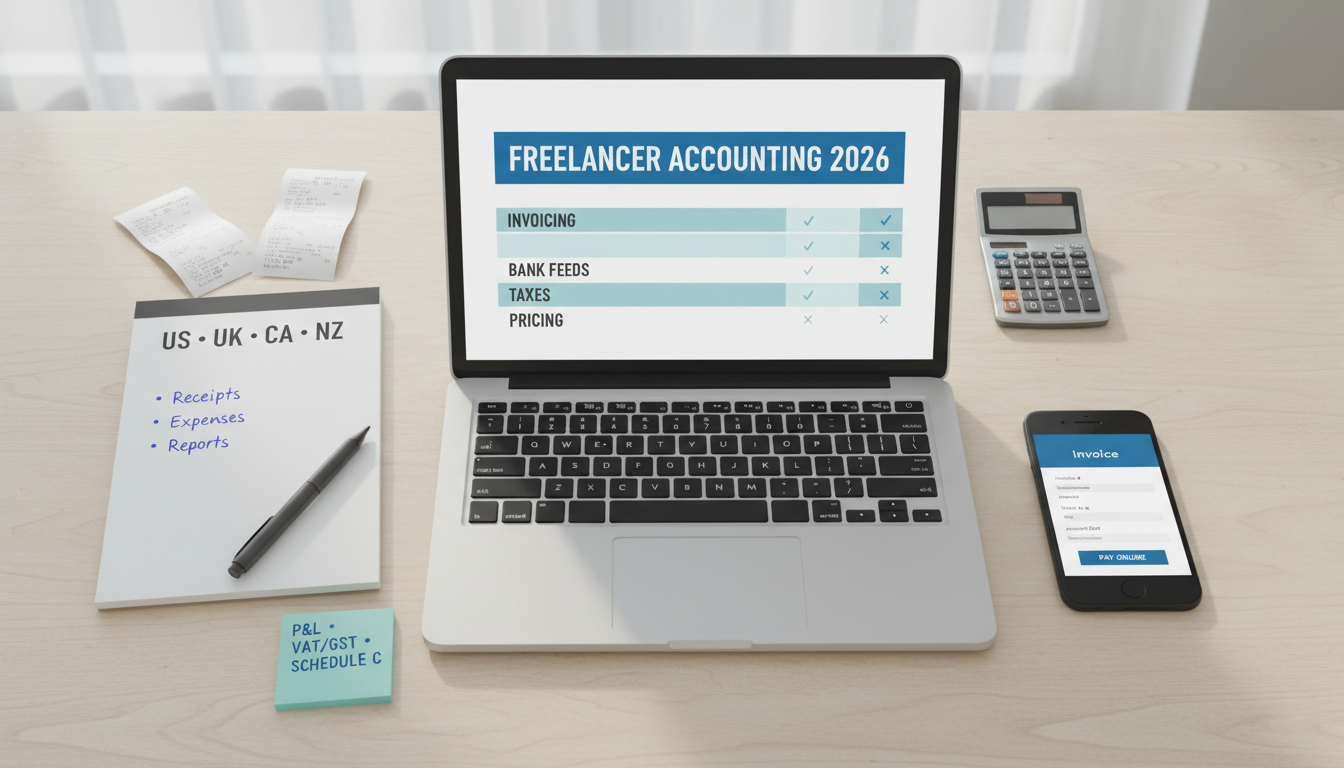
Comparison of accounting software for freelancers in 2026 with invoice, bank feeds, and tax features for US/UK/CA/NZ
Freelancers need simple, reliable accounting: accurate invoicing, bank feeds that don’t break, clean tax categories, and stress‑free reports. QuickBooks and Xero lead on breadth and integrations; FreshBooks is friendlier for time‑tracking and client comms; Wave/Zoho Books provide capable budget choices.
Your country matters. Tax forms and requirements differ: Schedule C (US), Self Assessment/MTD (UK), T2125 (CA), IR3 (NZ). Choose software that supports your filings and local banks without hacks.
Model total cost. Add‑ons (payroll, multicurrency, payments), per‑invoice fees, and accountant plans can change the math. The cheapest monthly sticker price is not always the lowest annual TCO.
Freelancers/solo contractors in the US/UK/CA/NZ managing income/expenses, invoicing, and basic taxes.
Creatives, developers, consultants, and service providers seeking a low‑friction system that scales as they grow.
Evaluation Criteria (Freelancer Needs)
Invoicing & payments: customizable invoices, recurring bills, deposits, payment links, late fees, partial payments.
Bank feeds & reconciliation: stable connections to local banks/credit cards, smart matching, receipt capture.
Expenses & taxes: categories, mileage, sales tax/VAT/GST, year‑end reports for your country’s forms.
Time tracking & projects: timers, billable rates, estimates → invoices.
Multi‑currency: sending/receiving in USD/GBP/CAD/NZD with clear FX handling.
Integrations & export: Stripe/PayPal/Square, ecommerce, CRM, accountant access, clean CSV export.
Pricing & TCO: monthly fees, per‑transaction costs, add‑ons (payroll), accountant bundle availability.
Ease of use & support: setup wizard, templates, help docs, community, and accountant familiarity in your country.
Side‑by‑Side: Key Features That Matter
Invoices: branding, recurring, deposits, automatic reminders, online payments.
Bank feeds: coverage for your bank, reliability, rules, reconciliation speed.
Taxes: localized reports and returns support; sales tax/VAT/GST automation.
Reporting: P&L, balance sheet (basic), cash flow, outstanding invoices, tax summary.
Add‑ons: payroll, estimates/proposals, inventory (light), mileage, receipt OCR.
Collaboration: accountant access, role permissions.
Country Notes (US/UK/CA/NZ)
US (Schedule C)
Priorities: 1099 contractor tracking, sales tax by state (if applied), mileage logs, Schedule C categories.
Banks: ensure your main bank/card has stable feeds; Stripe/PayPal payouts mapped cleanly.
UK (Self Assessment, MTD)
Priorities: Making Tax Digital (MTD) support, VAT returns, CIS (if applicable), bank feeds with major UK banks.
Dates: tax year/quarterly VAT cycles; GBP as base; HMRC‑compatible submissions.
Canada (T2125)
Priorities: GST/HST tracking, expenses by category, multi‑province sales tax if relevant.
CAD base currency; T2125 export mapping.
New Zealand (IR3)
Priorities: GST returns, NZ bank feeds, NZD base currency; easy expense capture on mobile.
Top Picks and Who They Fit
Why it wins
Huge accountant ecosystem; strong invoicing/payments; solid bank feeds; good US tax workflows.
Pros
Familiar to many accountants; robust app store; good reporting for freelancers.
Cons
UI can feel busy; add‑ons increase TCO; UK/EU users sometimes prefer Xero.
Best for
US freelancers who want maximum accountant support and app integrations.
Why it wins
Excellent bank feeds in UK/NZ; MTD/VAT support; clean UI; multi‑currency on higher plans.
Pros
Smooth reconciliation; strong ecosystem; favored by many UK/NZ accountants.
Cons
Some advanced features on higher tiers; learning curve for a few reports.
Best for
UK/NZ freelancers; global clients with multi‑currency needs.
FreshBooks — best for client communication and time tracking
Why it wins
Beautiful invoices, proposals, and time tracking baked in; client portal feels polished.
Pros
Very easy to use; great for service providers billing time and small retainers.
Cons
Reporting less deep than QB/Xero; bank feeds vary by country/bank.
Best for
Designers, writers, devs, and agencies of one who value client‑facing polish.
Wave / Zoho Books — best budget picks
Wave (where available)
Free core accounting; paid payments/payroll. Simple and effective for basic needs.
Caveat: country coverage and support vary; check bank feeds first.
Zoho Books
Affordable tiers; good invoicing and GST/VAT support; fits well if you also use Zoho ecosystem.
Caveat: setup requires attention to tax settings per country.
Pricing & Total Cost of Ownership
Subscription tiers: starter vs plus/premium; features (multicurrency, projects, inventory) often gated.
Payments processing: per‑transaction fees (Stripe/PayPal/Square) added on top; weigh convenience vs cost.
Add‑ons: payroll, time tracking, receipt OCR, multi‑currency—add up across a year.
Accountant plans: sometimes cheaper to join your accountant’s wholesale/bundled plan.
Implementation Checklist (7 Days)
Day 1: Choose base currency, fiscal year, tax location. Create your COA (chart of accounts) template fit for freelancers.
Day 2: Connect bank/credit card feeds; import last 90 days; set reconciliation rules (client names, platforms).
Day 3: Customize invoice template; enable online payments; set automatic reminders and late fees (if desired).
Day 4: Set tax settings (VAT/GST/sales tax); test an invoice with the correct tax treatment.
Day 5: Build categories for common expenses; enable receipt capture on mobile.
Day 6: Set up recurring invoices or retainers; create a simple monthly closing checklist.
Day 7: Run P&L and tax summary; export PDFs/CSV; invite accountant (view‑only).
Recommendations by Scenario
US freelancer with Stripe/PayPal income and a local accountant
UK/NZ freelancer needing VAT/GST and reliable bank feeds
Service‑heavy freelancer who bills time and sends proposals
Tight budget, minimal features, or Zoho suite user
Pick: Wave (if supported) or Zoho Books
Which is cheapest?
Wave (core) or Zoho Books entry tiers. But factor in payments fees, multicurrency, and time saved by better automation/reporting.
Can I switch mid‑year?
Yes, but plan for opening balances and historical invoices. Best at quarter boundaries with accountant help.
Do I need multicurrency?
If you invoice in USD/GBP/CAD/NZD across borders, yes. Otherwise keep it simple in your base currency.
Will my accountant accept it?
QuickBooks and Xero have the broadest accountant adoption. Ask your accountant which they prefer for smoother support.
Compliance Notes
Keep receipts (digital copies) and separate business bank accounts.
Configure VAT/GST/sales tax correctly from day one; review with a local accountant.
Back up exports periodically; document your monthly close routine.
The Code
The Code