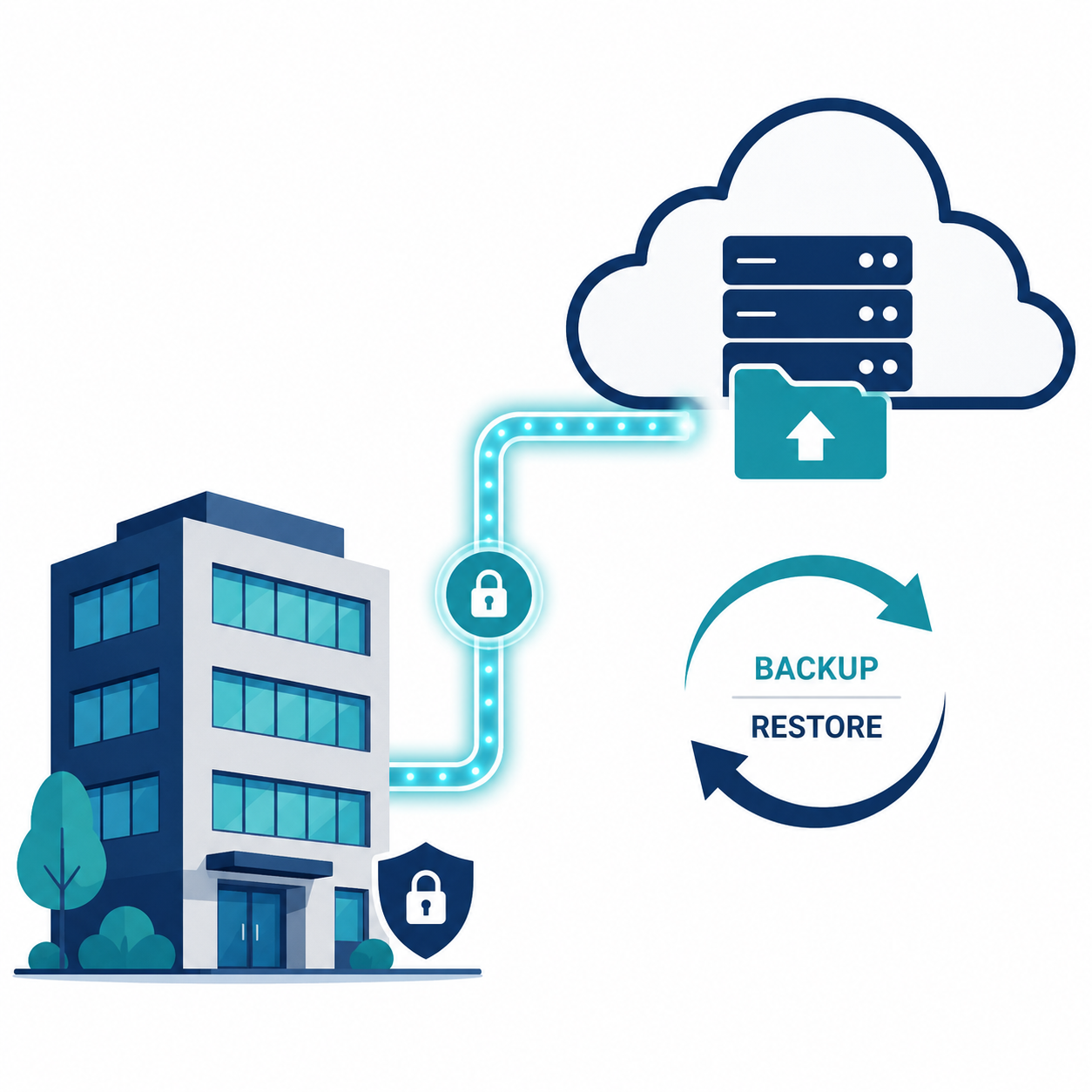

TL;DR: A real backup and disaster recovery (BDR) strategy for small businesses requires more than just file backups — it needs segmented/immutable storage, a defined recovery time objective (RTO), and tested restoration. Datto is the strongest dedicated BDR platform for businesses wanting fast recovery from ransomware. Veeam offers more flexibility for businesses with existing IT infrastructure. Below, we cover strategy, tools, and a realistic implementation plan.
Executive Summary
Most small businesses have “backups” in some form — but having backups and having a functioning disaster recovery plan are very different things. A business can dutifully back up files for years and still face days of downtime and significant data loss during an actual incident if the backup strategy was never designed around recovery speed and ransomware resilience.
This guide explains how to build a backup and disaster recovery strategy that actually works when you need it, not just one that checks a compliance box.
Who This Guide Is For
- Small business owners who have basic backups but no formal recovery plan
- IT consultants designing BDR strategy for SMB clients
- Businesses preparing for cyber insurance underwriting requirements
- Companies that experienced data loss or a ransomware incident and want a stronger system
Backup vs. Disaster Recovery: The Critical Distinction
These terms are often used interchangeably but mean different things:
- Backup is the copy of your data, stored somewhere separate from production systems.
- Disaster recovery is the complete plan and infrastructure for restoring full business operations — not just data, but systems, applications, and access — within an acceptable timeframe.
A business can have excellent backups and still have no real disaster recovery plan if nobody has tested how long full restoration actually takes, or whether restored systems will function correctly together.
Understanding RTO and RPO
These two metrics define your actual disaster recovery requirements and should drive every decision about backup frequency and infrastructure.
Recovery Time Objective (RTO)
How long can your business tolerate being down before the impact becomes unacceptable? A retail business processing transactions might need an RTO of under 1 hour. A business with less time-sensitive operations might tolerate 24-48 hours.
Recovery Point Objective (RPO)
How much data loss can you tolerate, measured in time? An RPO of 1 hour means you can lose up to 1 hour of data since your last backup point. An RPO of 24 hours means daily backups are acceptable.
Why this matters: Your RTO and RPO requirements directly determine what kind of backup solution you need. A business needing a 1-hour RTO cannot rely on a backup solution that only supports overnight backups and manual restoration.
The Core Components of a Real BDR Strategy
1. Follow the 3-2-1-1 Rule
An evolution of the classic 3-2-1 rule, accounting for ransomware specifically:
- 3 copies of your data
- 2 different storage media types
- 1 copy offsite
- 1 copy immutable (cannot be altered or deleted, even by an attacker with admin access)
The added “immutable” copy specifically addresses ransomware, which actively seeks out and encrypts or deletes connected backups during an attack.
2. Automate Backup Frequency Based on Your RPO
Manual or infrequent backups are a common failure point. If your RPO requires hourly backups, your system needs to run automatically on that schedule without relying on someone remembering to trigger it.
3. Test Restoration Regularly, Not Just Backup Completion
A successful backup notification means data was copied — it does not confirm that data can actually be restored successfully. Schedule quarterly test restorations, ideally to an isolated environment, to verify both the backup integrity and your actual restoration time.
4. Document a Step-by-Step Recovery Runbook
During an actual disaster, you don’t want your team improvising. A documented runbook should specify exactly which systems to restore first, who is responsible for each step, and how to verify successful restoration before declaring recovery complete.
5. Plan for Full Business Continuity, Not Just Data
Consider what else is needed beyond restored files: temporary workspace if your office is affected, alternate communication methods if email/phone systems are down, and a plan for continuing critical operations during the recovery window.
Leading BDR Platforms for SMBs
| Platform | Starting Price | Ransomware-Specific Features | Best For |
|---|---|---|---|
| Datto | Custom (via MSP) | Strong, immutable backups | Fast recovery, ransomware-focused |
| Veeam | $$ (varies by deployment) | Strong, flexible | Businesses with existing IT infrastructure |
| Acronis Cyber Protect | From $85/year/device | Integrated antivirus + backup | All-in-one backup and security |
| Backblaze B2 | Pay-as-you-go storage | Basic immutability options | Budget-conscious cloud storage |
| Carbonite | From $24/month | Moderate | Simple small office backup |
| Druva | Custom enterprise pricing | Strong, cloud-native | Cloud-first businesses needing SaaS backup |
Datto — Best for Ransomware-Focused Recovery
Datto is widely used by managed service providers (MSPs) specifically because of its strong ransomware detection and rapid recovery capabilities.
Strengths:
- Built-in ransomware detection that flags suspicious encryption activity in backup snapshots
- Local and cloud backup combined for fast on-premise recovery plus offsite redundancy
- Strong virtualization capabilities to spin up backed-up systems quickly during an outage
Limitations:
- Typically sold and managed through MSP partners rather than direct self-service signup
- Pricing is less transparent, usually requiring a quote
Best for: Businesses wanting MSP-managed, ransomware-resilient backup with fast recovery times.
Veeam — Best for Flexibility
Veeam is one of the most widely deployed backup platforms across businesses of all sizes, offering significant configuration flexibility.
Strengths:
- Highly flexible deployment across on-premise, cloud, and hybrid environments
- Strong support for immutable backup storage
- Broad compatibility with existing virtualization and IT infrastructure
Limitations:
- Requires more technical setup than fully managed alternatives
- Cost varies significantly based on deployment scale and configuration
Best for: Businesses with existing IT infrastructure and some technical capacity wanting maximum configuration control.
Acronis Cyber Protect — Best All-in-One Option
Acronis bundles backup with integrated antivirus and endpoint protection, reducing the number of separate vendors you manage.
Strengths:
- Combines backup, antivirus, and basic EDR in a single platform
- Reasonable starting price for small businesses
- Cloud and local backup options available
Limitations:
- Jack-of-all-trades approach means less specialization than dedicated best-in-class tools for each function
- Some advanced features require higher-tier licensing
Pricing: Starts around $85/year per device.
Best for: Small businesses wanting backup and basic endpoint security bundled together.
Backblaze B2 — Best Budget Cloud Storage
Backblaze offers affordable, pay-as-you-go cloud storage suitable for businesses building their own backup workflow.
Strengths:
- Very low per-GB storage cost compared to enterprise backup platforms
- Supports object lock for immutable backup configurations
- Simple, transparent pricing
Limitations:
- Requires pairing with separate backup software for full functionality, rather than being an all-in-one solution
- Less suited for businesses wanting a fully managed, turnkey solution
Best for: Budget-conscious businesses building a custom backup workflow with existing backup software.
Carbonite — Best for Simple Small Office Backup
Carbonite focuses on straightforward, automatic backup for small offices without complex IT requirements.
Strengths:
- Simple setup with automatic, continuous backup
- Affordable for very small businesses
- Decent file versioning and basic restoration tools
Limitations:
- Less robust ransomware-specific protection than Datto or Acronis
- Fewer advanced configuration options for growing businesses
Pricing: Starts around $24/month.
Best for: Very small offices wanting simple, reliable file backup without complexity.
Druva — Best for Cloud-First Businesses
Druva specializes in protecting SaaS and cloud-native data — Microsoft 365, Google Workspace, cloud servers — rather than traditional on-premise infrastructure.
Strengths:
- Strong native protection for Microsoft 365 and Google Workspace data
- Fully cloud-native architecture, no on-premise hardware required
- Centralized management across distributed cloud resources
Limitations:
- Custom enterprise pricing, often less accessible for very small businesses
- Less relevant for businesses with significant on-premise infrastructure
Best for: Cloud-first businesses primarily needing SaaS data protection rather than traditional server backup.
Common Mistake: Assuming Microsoft 365/Google Workspace Already Backs Up Your Data
A critical and common misunderstanding: Microsoft and Google’s built-in retention policies are not a substitute for dedicated backup. Native retention is designed for short-term recovery (accidental deletion within a limited window), not comprehensive disaster recovery, and doesn’t protect against many ransomware and malicious deletion scenarios. Dedicated SaaS backup (like Druva, or backup add-ons from many MSPs) closes this specific gap.
Building Your Disaster Recovery Runbook: Key Sections
- System priority list — which systems must be restored first to resume critical operations
- Contact list — who to notify internally and externally (IT provider, insurer, key vendors)
- Step-by-step restoration procedure for each critical system
- Verification checklist — how to c