
TL;DR: Microsoft Clarity remains the strongest free heatmap and session recording tool, offering genuinely unlimited usage at no cost. Hotjar offers the best balance of features and ease of use for businesses wanting feedback surveys alongside heatmaps. Crazy Egg specializes in clear, simple conversion-focused reporting well suited to marketers without analytics backgrounds. Below, we compare 7 platforms by tracking depth, session recording quality, and pricing.
Executive Summary
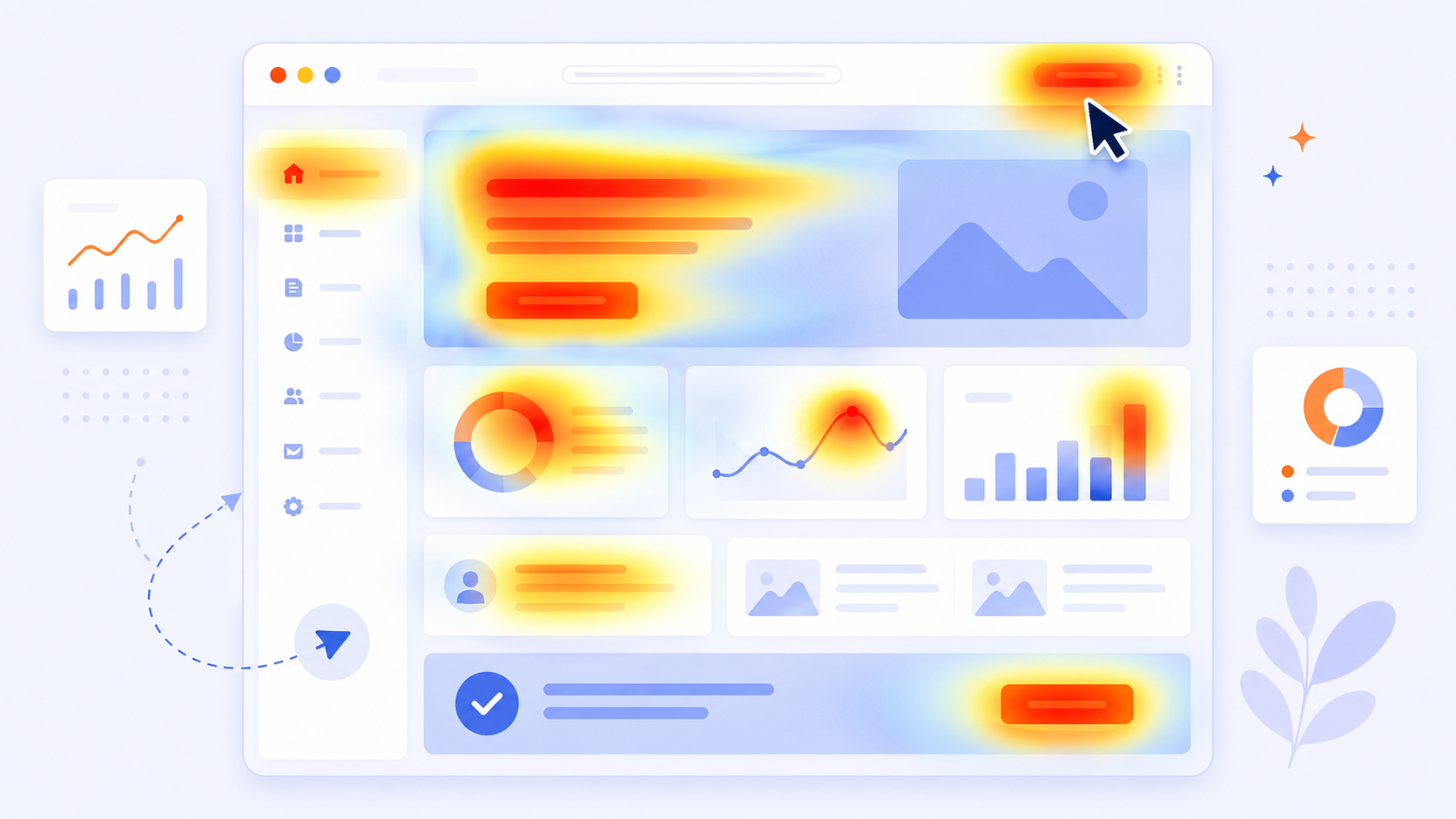
Heatmap software reveals how visitors actually interact with your website — where they click, how far they scroll, and where their attention concentrates — providing visual insight that standard analytics numbers alone don’t capture. This visual layer helps identify friction points, confusing layouts, and overlooked content that pure traffic metrics miss entirely.
This guide compares the seven leading heatmap and behavior analytics tools in 2026.
Who This Guide Is For
- Marketers and UX designers wanting visual insight into visitor behavior
- Conversion rate optimization specialists diagnosing checkout or landing page friction
- Businesses wanting session recordings to understand specific user struggles
- Anyone evaluating whether free tools meet their needs before considering paid options
What Heatmap Software Actually Shows
- Click maps — where visitors click most frequently, including non-clickable elements that visitors mistakenly try to interact with
- Scroll maps — how far down a page visitors typically scroll before leaving
- Move/attention maps — where cursor movement and attention concentrate, often correlating with reading patterns
- Session recordings — individual visitor session playback showing exact navigation and interaction patterns
Quick Comparison Table
| Platform | Starting Price | Session Recording | Best For |
|---|---|---|---|
| Microsoft Clarity | Free | Yes, unlimited | Best free option overall |
| Hotjar | $39/month | Yes | Feedback surveys plus heatmaps |
| Crazy Egg | $29/month | Yes | Simple, conversion-focused reporting |
| Mouseflow | $31/month | Yes | Funnel analysis integration |
| FullStory | Custom pricing | Yes, advanced | Enterprise-grade behavioral analytics |
| Lucky Orange | $32/month | Yes | Shopify-focused ecommerce stores |
| Smartlook | $39/month | Yes | Mobile app session recording |
Microsoft Clarity — Best Free Option
Microsoft Clarity offers genuinely unlimited heatmaps and session recordings at no cost, making it difficult to justify a paid alternative for many businesses.
Strengths:
- Completely free with no meaningful usage limits
- Solid heatmap and session recording quality comparable to many paid tools
- Easy integration alongside Google Analytics or GA4
Limitations:
- Fewer advanced segmentation and filtering options than premium competitors
- No built-in feedback survey functionality like Hotjar
Pricing: Free.
Best for: Businesses of any size wanting genuinely capable heatmap and session recording at zero cost.
Hotjar — Best Feedback Surveys Plus Heatmaps
Hotjar combines visual behavior analytics with on-site feedback surveys, giving both quantitative and qualitative insight in one platform.
Strengths:
- Built-in feedback surveys and polls complement behavioral heatmap data
- Strong funnel and form analysis tools for conversion optimization
- User-friendly interface accessible to non-technical marketers
Limitations:
- Pricing increases meaningfully at higher traffic volumes
- Some advanced features require higher-tier plans
Pricing: Starts at $39/month.
Best for: Businesses wanting both behavioral heatmaps and direct visitor feedback in one platform.
Crazy Egg — Best Simple Conversion-Focused Reporting
Crazy Egg emphasizes clear, actionable reporting designed specifically for marketers focused on conversion optimization rather than deep technical analysis.
Strengths:
- Clean, easy-to-interpret reporting suited to non-technical marketers
- A/B testing tools included alongside heatmap functionality
- Good “confetti” click reporting segmenting clicks by traffic source or device
Limitations:
- Less sophisticated session recording filtering than enterprise-focused competitors
- Smaller feature set for advanced behavioral segmentation
Pricing: Starts at $29/month.
Best for: Marketers wanting straightforward, conversion-focused reporting without technical complexity.
Mouseflow — Best Funnel Analysis Integration
Mouseflow ties heatmap and session recording data directly into funnel analysis, helping identify exactly where conversion drop-off occurs.
Strengths:
- Strong funnel visualization tied directly to session recordings at each drop-off point
- Form analytics identify specific fields causing abandonment
- Good filtering options to segment recordings by behavior pattern
Limitations:
- Interface has a moderate learning curve compared to Crazy Egg’s simplicity
- Pricing scales with traffic volume, requiring monitoring as you grow
Pricing: Starts at $31/month.
Best for: Conversion optimization specialists wanting heatmaps integrated directly with funnel drop-off analysis.
FullStory — Best Enterprise-Grade Behavioral Analytics
FullStory targets larger organizations needing sophisticated, searchable behavioral analytics beyond basic heatmaps.
Strengths:
- Advanced search and segmentation across millions of recorded sessions
- Strong integration with product analytics for SaaS and app-based businesses
- Sophisticated funnel and conversion analysis at enterprise scale
Limitations:
- Custom pricing typically positioned for larger organizations and budgets
- Significant complexity relative to simpler heatmap-focused competitors
Pricing: Custom enterprise pricing.
Best for: Larger organizations needing sophisticated, searchable behavioral analytics across substantial traffic volume.
Lucky Orange — Best for Shopify Ecommerce
Lucky Orange specifically targets ecommerce stores, with particularly strong native Shopify integration for behavior tracking tied to purchase outcomes.
Strengths:
- Strong native Shopify integration with conversion-specific reporting
- Live chat functionality included alongside heatmap and recording tools
- Good for connecting behavioral data directly to cart abandonment patterns
Limitations:
- Less relevant for non-ecommerce businesses
- Smaller feature set for general behavioral analytics outside the ecommerce context
Pricing: Starts at $32/month.
Best for: Shopify ecommerce stores wanting behavior tracking tied directly to purchase and cart abandonment patterns.
Smartlook — Best for Mobile App Session Recording
Smartlook extends session recording and heatmap functionality to native mobile apps, not just websites.
Strengths:
- Strong mobile app session recording, beyond just web-based tracking
- Good event tracking and funnel analysis across both web and mobile
- Useful for businesses with both a website and a native mobile app needing unified behavioral insight
Limitations:
- Web-specific heatmap features are less specialized than dedicated web-focused competitors
- Learning curve for setting up comprehensive mobile event tracking
Pricing: Starts at $39/month.
Best for: Businesses with native mobile apps needing session recording beyond standard web tracking.
How to Choose the Right Heatmap Tool
If you want the best free option: Microsoft Clarity.
If you want behavioral data plus direct visitor feedback: Hotjar.
If you want simple, conversion-focused reporting: Crazy Egg.
If funnel drop-off analysis is your priority: Mouseflow.
If you’re a large enterprise needing sophisticated search across sessions: FullStory.
If you run a Shopify ecommerce store: Lucky Orange.
If you need mobile app session recording: Smartlook.
Using Heatmap Data Effectively
Heatmaps alone don’t improve conversion — they require deliberate analysis and action:
- Focus on high-traffic pages first — landing pages, product pages, and checkout flows yield the most actionable insight relative to analysis time invested
- Watch session recordings for actual confusion, not just click patterns — recordings reveal hesitation and backtracking that click maps alone miss
- Cross-reference with conversion data — a high-click element isn’t necessarily good if it’s not driving the intended conversion action
- Test changes based on findings — heatmap insight should inform specific A/B tests, not just generate interesting observations without follow-through
Privacy Considerations for Heatmap and Session Recording Tools
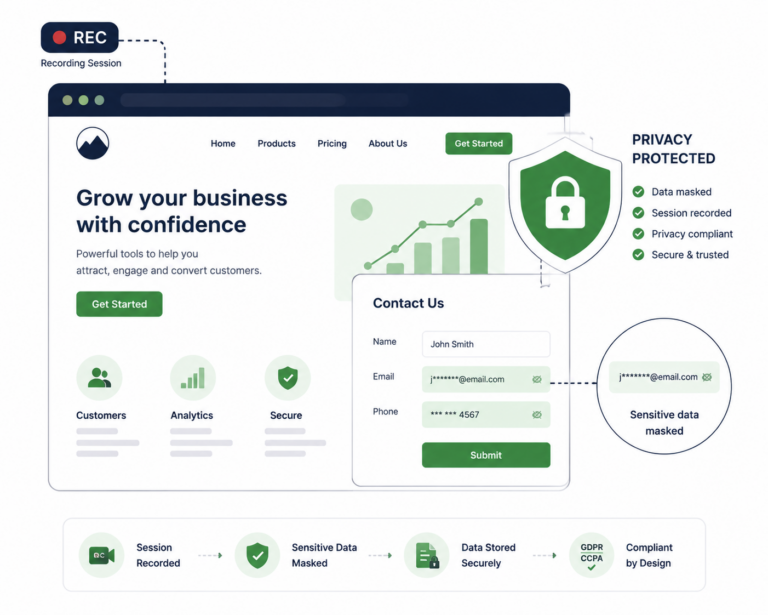
Session recording captures detailed user behavior, raising privacy considerations similar to other tracking technologies:
- Mask sensitive form fields (passwords, payment information) — most tools support this by default or with simple configuration
- Disclose session recording in your privacy policy, since this constitutes a form of user data collection
- Consider consent requirements under GDPR or similar frameworks, particularly if recordings could capture personally identifiable information
Frequently Asked Questions
Is Microsoft Clarity really free with no hidden limitations?
Yes, Clarity offers genuinely unlimited heatmaps and session recordings at no cost, making it one of the strongest free tools available in any analytics category, not just heatmaps specifically.
Do heatmap tools slow down my website?
Most modern heatmap tools are designed for minimal performance impact, though any additional tracking script adds some overhead — test your specific site’s performance after implementation to confirm acceptable impact.
Can I use multiple heatmap tools simultaneously?
Technically yes, but running multiple tracking scripts adds unnecessary performance overhead and complexity without meaningfully better insight than thoroughly using one well-chosen tool.
Is session recording a privacy concern?
It can be, since recordings capture detailed user behavior. Ensure sensitive fields are masked, disclose the practice in your privacy policy, and consider consent requirements under applicable privacy regulations.
Which tool is best for diagnosing checkout abandonment specifically?
Mouseflow’s funnel-integrated session recordings and Lucky Orange’s ecommerce-specific focus are both particularly well suited to diagnosing checkout-stage friction and abandonment patterns.
Do I need a paid tool, or is the free Microsoft Clarity option sufficient?
For most small-to-mid businesses, Clarity’s free tier provides genuinely sufficient functionality. Paid tools become more justified when you need advanced segmentation, feedback surveys, or enterprise-scale searchable session libraries.
How much traffic do I need before heatmap data becomes statistically meaningful?
This varies by page, but generally a few hundred sessions per page provides enough data for meaningful pattern recognition, with more traffic naturally producing more reliable insight.
Can heatmap tools track behavior across multiple pages, or just individual page views?
Most tools (Mouseflow, Hotjar, FullStory) support tracking behavior across full user journeys and funnels, not just isolated individual page heatmaps.
Final Verdict
For most businesses, Microsoft Clarity’s genuinely free, unlimited functionality makes it difficult to justify a paid alternative unless you specifically need feedback surveys (Hotjar), simplified conversion-focused reporting (Crazy Egg), or enterprise-scale searchable session analysis (FullStory).
Whichever tool you choose, remember that heatmap data only creates value through deliberate analysis and follow-through testing — collecting visual behavior data without acting on identified friction points provides interesting observation without genuine conversion improvement.
Pricing reflects publicly available rates as of mid-2026 and may change. Verify current pricing directly with each provider.